Blog

  • iPhone 15 Pro Max Specs, Camera and Features Explained

    iPhone 15 Pro Max Specs, Camera and Features Explained

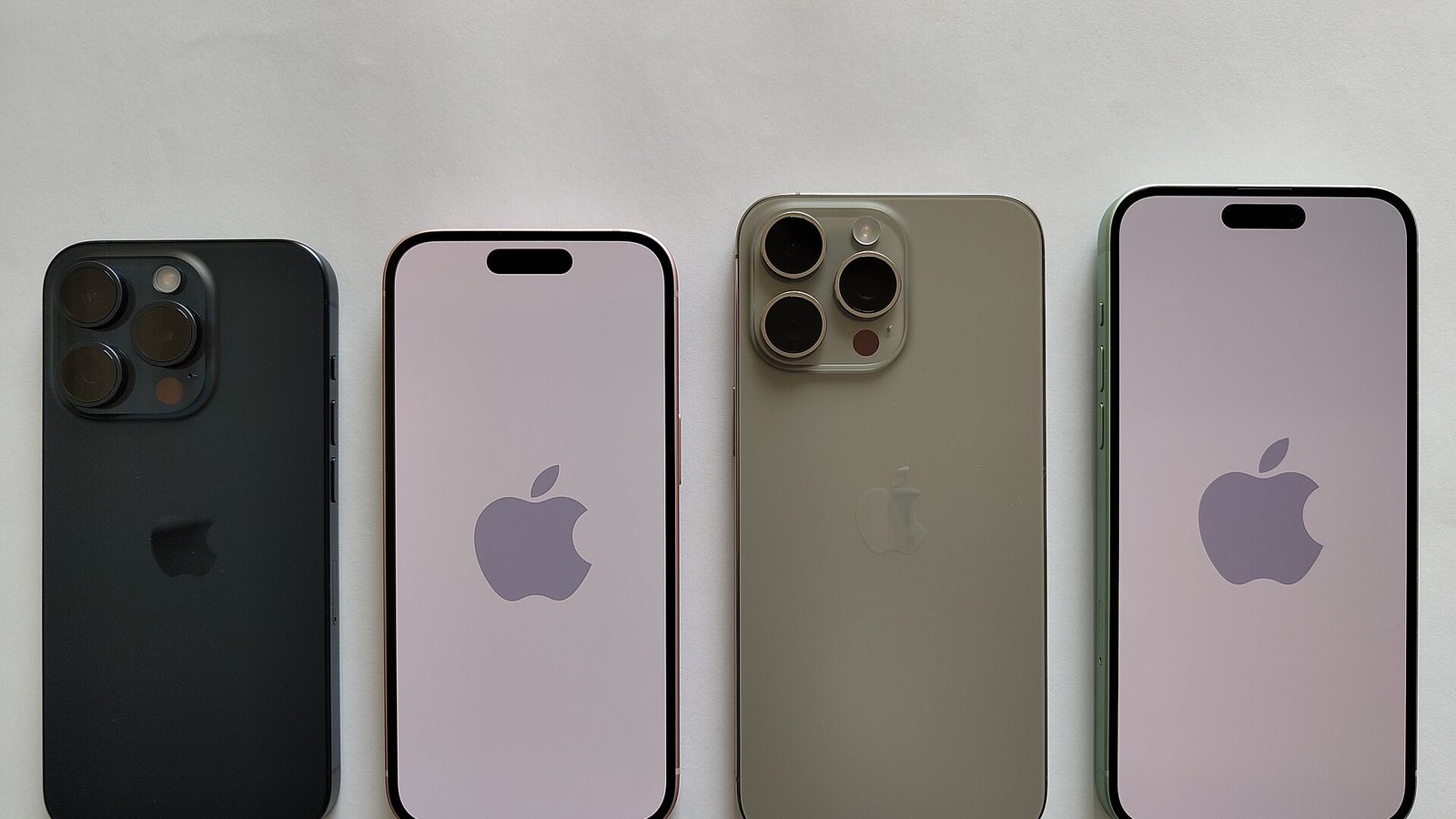
    The iPhone 15 Pro Max was Apple’s 2023 flagship. It introduced a titanium frame, the A17 Pro chip, USB-C, and the first 5x telephoto camera on an iPhone. This guide covers the full spec sheet, the camera system, battery and charging, and how the phone compares with the models that replaced it, so you can decide whether a new, refurbished or used unit is still worth buying.

    ChipApple A17 Pro (3 nm)
    Display6.7 in, 120 Hz OLED
    Camera48MP + 5x telephoto
    Storage256GB to 1TB
    Launch priceFrom $1,199

    Where the iPhone 15 Pro Max stands today

    Apple announced the iPhone 15 Pro Max on September 12, 2023, opened preorders on September 15 and put it on sale on September 22. It replaced the iPhone 14 Pro Max and sat above the iPhone 15 Pro in the lineup. It was the only 2023 model with the 5x tetraprism telephoto camera, which became the main reason to choose it over its smaller sibling.

    Apple stopped selling the 15 Pro and 15 Pro Max through its own store when the iPhone 16 Pro family launched in September 2024. Today you will mostly find it as carrier stock, retailer clearance, refurbished units and used listings. That changes the buying question. The phone is no longer the newest flagship. The real question is whether it still offers the best value for the money, and I think it often does for buyers who want a large screen, a real 5x zoom and Apple Intelligence without paying current-generation prices.

    It also gets current software. The 15 Pro Max runs iOS 26, including the Liquid Glass redesign. Because it has the A17 Pro chip and 8GB of RAM, it was one of only two iPhone 15 models that met Apple’s hardware requirements for Apple Intelligence. That single fact separates it from the cheaper iPhone 15 and 15 Plus more than any camera or display difference does.

    Full iPhone 15 Pro Max specifications

    These are Apple’s official figures for the US model unless noted. The battery capacity is not something Apple publishes. The 4,422 mAh figure comes from regulatory filings that outlets reported widely after launch.

    Category iPhone 15 Pro Max
    Chip A17 Pro, 3 nm, 6-core CPU (2 performance, 4 efficiency), 6-core GPU with hardware ray tracing, 16-core Neural Engine
    RAM 8GB
    Storage 256GB, 512GB, 1TB
    Display 6.7-inch Super Retina XDR OLED, 2796 x 1290, 460 ppi
    Refresh rate ProMotion, adaptive up to 120Hz, Always-On display
    Brightness 1,000 nits typical, 1,600 nits HDR peak, 2,000 nits outdoor peak, 1 nit minimum
    Main camera 48MP, 24mm, f/1.78, second-generation sensor-shift OIS
    Ultra wide 12MP, 13mm, f/2.2, 120-degree field of view
    Telephoto 12MP, 5x (120mm), f/2.8, tetraprism, 3D sensor-shift OIS
    Front camera 12MP TrueDepth, f/1.9, autofocus
    Battery 4,422 mAh (regulatory filings), up to 29 hours video playback (Apple)
    Charging USB-C wired (50% in about 30 min with 20W+ adapter), MagSafe up to 15W, Qi2 up to 15W, Qi 7.5W
    Port USB-C with USB 3, up to 10Gb/s
    Connectivity 5G (sub-6GHz and mmWave in US), Wi-Fi 6E, Bluetooth 5.3, second-gen Ultra Wideband, Thread
    Safety Emergency SOS, Roadside Assistance and Messages via satellite, Crash Detection
    Durability IP68 (6 meters for up to 30 minutes), Ceramic Shield front, textured matte glass back
    Build Grade 5 titanium frame, aluminum substructure
    Size and weight 159.9 x 76.7 x 8.25 mm, 221 g
    Colors Black Titanium, White Titanium, Blue Titanium, Natural Titanium
    SIM eSIM only (US models), dual eSIM; nano-SIM plus eSIM in most other regions
    Biometrics Face ID

    What was new on the iPhone 15 Pro Max

    The 15 Pro Max did not change Apple’s large Pro phone completely, but it delivered more meaningful upgrades than most annual iPhone releases. Four changes stand out, and each one still affects how the phone feels to use.

    Titanium frame and lighter weight

    Apple replaced the stainless steel frame of the 14 Pro Max with Grade 5 titanium bonded to an internal aluminum substructure. The result weighed 221 grams, 19 grams less than the 240-gram 14 Pro Max. That difference sounds small on paper, but it is easy to notice on a phone this size. Apple also rounded the edges and narrowed the bezels, which made the 6.7-inch body easier to hold than earlier Max models.

    The brushed titanium finish came in four colors. Natural Titanium was the signature shade and the one Apple featured most. Blue Titanium is a dark navy, White Titanium is closer to silver than bright white, and Black Titanium is the most understated. Fingerprints show much less on titanium than they did on the polished steel of older Pro phones. The internal redesign also made the back glass easier and cheaper to replace, which matters if you plan to keep the phone for several years.

    The Action button

    The Ring/Silent switch that iPhones had used since 2007 was replaced by a programmable Action button. By default, a long press toggles silent mode. You can also set it to open the camera, turn on the flashlight, start a voice memo, set a Focus mode, launch the Magnifier, run Translate (added in iOS 17.2) or trigger any Shortcut. Since iOS 18.4, it can also launch Visual Intelligence, which matters because the 15 Pro Max lacks the Camera Control button that newer models use for that feature.

    I think assigning a Shortcut is the best use of the button. It can turn on a hotspot, log a habit or start a timer, depending on how you use your phone. Anyone upgrading from an iPhone 13 will need a few days to stop reaching for the old switch, but the Action button is more useful once you get used to it.

    USB-C with USB 3 speeds

    The 15 series was the first iPhone generation with USB-C, a change largely driven by European Union rules. Only the Pro models support USB 3 at up to 10Gb/s. The base iPhone 15 stays at USB 2 speeds of 480Mb/s. On the Pro Max, that extra speed makes it practical to move large ProRes video files to a Mac and to record ProRes at 4K 60fps directly to an external SSD.

    USB-C also brings everyday convenience. One cable can charge the phone, a MacBook and an iPad. The phone can also power small accessories at up to 4.5W, such as an Apple Watch puck or an earbuds case. Apple released a refreshed AirPods Pro 2 with a USB-C case at the same September 2023 event, so the two products pair well.

    Buying tip

    The cable Apple included in the box is USB 2 only. To get 10Gb/s transfers, you need a USB 3 rated USB-C cable, sold separately.

    A17 Pro, the first 3nm phone chip

    The A17 Pro was the first smartphone chip built on a 3-nanometer process, made by TSMC. Apple claimed up to 10% faster CPU performance and up to 20% faster GPU performance compared with the A16 Bionic. The bigger change was hardware-accelerated ray tracing, which Apple said ran up to four times faster than software ray tracing. The 16-core Neural Engine is rated at 35 trillion operations per second, double the A16, and that capacity is a large part of why Apple Intelligence runs on this phone and not on the base iPhone 15.

    Display and Dynamic Island

    The 6.7-inch Super Retina XDR panel has the same resolution and 460 ppi pixel density as the 14 Pro Max, so the display itself was not a major upgrade. It remains excellent. ProMotion adjusts the refresh rate up to 120Hz for scrolling and games, and down to 1Hz for the Always-On display, which shows the time, widgets and dimmed wallpaper without much battery drain.

    Brightness reaches 2,000 nits in direct sunlight and 1,600 nits for HDR content. The panel can also dim to 1 nit, which makes reading at night more comfortable. Newer Pro Max models go further. The 17 Pro Max reaches 3,000 nits outdoors and has a stronger anti-reflective coating. Still, I do not consider the 15 Pro Max screen a weakness in daily use.

    The Dynamic Island, which first appeared on the 14 Pro models, sits at the top of the display. It shows live activities such as timers, navigation, sports scores, calls and music playback, and it expands when tapped. It works well in practice and gets more useful as more apps support Live Activities.

    Performance and gaming on the A17 Pro

    In day-to-day use, the A17 Pro is still more than fast enough, even several years after launch. Apps open quickly, 48MP image processing finishes almost instantly, and 8GB of RAM keeps more apps in memory than the 6GB of the 14 Pro Max. That RAM increase was also the hardware requirement for Apple Intelligence, which explains why Apple limited the features to Pro models in 2023.

    Apple focused heavily on gaming at launch. It announced native iPhone versions of Resident Evil Village, the Resident Evil 4 remake, Death Stranding and Assassin’s Creed Mirage, which had previously been console and PC titles. Ray tracing makes reflections and lighting look better in supported games. However, these demanding titles push the phone to its thermal limits, and that leads to the phone’s best-known early problem.

    Watch out

    Early units ran hot. Apple blamed an iOS 17 bug and some third-party apps, and fixed it with iOS 17.0.3 in October 2023. Heavy gaming still makes the frame warm.

    The heat complaints spread quickly in the first weeks after launch. Apple said the titanium was not the cause and pointed to a software issue, plus apps such as Instagram, Uber and Asphalt 9 that were overloading the processor. The October update fixed most of the complaints. A phone running current software is fine for normal use, but it has no vapor chamber like the 17 Pro Max, so long gaming sessions will lower performance more than they would on Apple’s newest phones.

    The iPhone 15 Pro Max camera system explained

    The camera system was the main reason to buy the Max over the smaller 15 Pro. In 2023, it was the only iPhone with a 5x telephoto. The other two cameras are shared with the 15 Pro and are very good.

    Camera Sensor and lens Key features
    Main (Wide) 48MP, 24mm, f/1.78 Second-gen sensor-shift OIS, 24MP default output, 28mm and 35mm presets, 2x optical-quality crop
    Ultra Wide 12MP, 13mm, f/2.2 120-degree field of view, macro photography from 2 cm
    Telephoto 12MP, 120mm, f/2.8 5x optical zoom, tetraprism folded design, 3D sensor-shift OIS and autofocus, up to 25x digital zoom
    Front (TrueDepth) 12MP, f/1.9 Autofocus, Night mode, Photonic Engine, 4K 60fps video
    Depth LiDAR Scanner Faster autofocus in low light, Night mode portraits

    The 48MP main camera and focal length presets

    Apple reused the 48MP sensor format from the 14 Pro but improved its processing. By default, the 15 Pro Max outputs 24MP photos, a new setting that balances detail against file size. Apple combines data from a full-resolution 48MP capture with a pixel-binned 12MP capture to improve light sensitivity. Full 48MP images are still available in HEIF or Apple ProRAW when you want the most detail for cropping.

    A tap on the 1x button switches between 24mm, 28mm and 35mm equivalent framing. You can also set one of these as the default. I find 28mm and 35mm better suited to street photography and portraits of people than the wide 24mm view. There is also a 2x option, which uses the middle 12MP of the sensor to produce a 48mm image without upscaling.

    Higher resolution does not automatically mean better photos. Sensor size, processing and lens quality matter just as much. Pixel binning is the reason this camera handles low light well despite having so many pixels on a phone sensor.

    The 5x tetraprism telephoto

    Folding a 120mm lens into a 8.25 mm-thick phone required a redesign. Apple’s tetraprism reflects incoming light four times inside the camera module, which creates enough optical path length for a 5x focal length without a large camera bump. The 3D sensor-shift stabilization moves the sensor itself to compensate for hand shake, which is critical at this magnification.

    In practice, 5x is a useful length for concerts, kids’ sports, wildlife at a distance and tight portraits. With f/2.8 and a 12MP sensor, telephoto shots in low light are noticeably softer than main camera photos. In dim conditions, the phone sometimes switches to a crop from the main sensor instead of the telephoto lens. Reviewers generally rated it among the best zoom cameras of 2023. It did not beat Samsung’s Galaxy S24 Ultra at extreme zoom, but it looked more natural at 5x.

    The trade-off is the gap in focal lengths. With 1x, 2x and 5x, there is nothing optical between 48mm and 120mm. The 3x 77mm lens on the iPhone 15 Pro is often the better choice for portraits indoors, so it depends on what you photograph most.

    Ultra wide, macro and next-generation portraits

    The 12MP ultra-wide camera is good but not outstanding. Its smaller pixels and f/2.2 aperture show noise sooner in dim light than the main camera. Apple later moved this lens to 48MP on the 16 Pro family. Its strength is macro photography: the phone switches to it automatically when you get within about 2 cm of a subject, which works well for flowers, textures and food.

    Portraits got a clever upgrade in this generation. When a person, dog or cat is in frame, the camera saves depth information automatically even in regular Photo mode. That lets you turn a standard shot into a portrait later and change the focus point after the fact. Night mode portraits use the LiDAR Scanner to separate subject and background in low light, an area where earlier iPhones often struggled.

    Video: ProRes, Log and spatial capture

    For video, the 15 Pro Max offers features normally associated with professional cameras. It records ProRes up to 4K 60fps, but only to an external drive over USB-C, and up to 4K 30fps to internal storage. It also added Log encoding, which records a flat image with more dynamic range so editors can color grade it, and support for the Academy Color Encoding System (ACES). This is a big part of why the phone appears in professional productions.

    Standard 4K video runs at 24, 25, 30 or 60fps with Dolby Vision HDR. Cinematic mode is limited to 4K 30fps, and Action mode provides strong stabilization in exchange for some resolution. With iOS 17.2, Apple enabled spatial video capture using the main and ultra-wide cameras together to record 1080p 30fps 3D clips for Apple Vision Pro. One feature it lacks is 4K 120fps slow motion, which arrived on the 16 Pro family.

    Battery life and charging

    Apple rates the 15 Pro Max for up to 29 hours of local video playback, 25 hours of streamed video and 95 hours of audio. The 15 Pro is rated at 23 hours. In practice, that means a full day of heavy use for most people, with some battery left over for lighter users. The 16 Pro Max and 17 Pro Max carry higher ratings, so this is a strong result but no longer a leading one.

    Charging method iPhone 15 Pro Max
    Wired (Apple claim) Up to 50% in about 30 minutes with a 20W or higher adapter
    Wired (independent tests) Peaks generally measured in the high-20-watt range
    MagSafe Up to 15W
    Qi2 Up to 15W (enabled with iOS 17.2)
    Standard Qi Up to 7.5W
    Accessory charging (wired) Up to 4.5W out over USB-C
    Charger in box None (USB-C cable only)

    Charging speed is where the phone shows its age most clearly. Samsung’s flagships charge at 45W, and the 17 Pro Max reaches 50% in about 20 minutes with Apple’s 40W adapter. The 15 Pro Max needs about half an hour to reach 50% and noticeably longer to reach a full charge. Qi2 support does make magnetic third-party chargers useful, since certified Qi2 pads reach the same 15W as Apple’s MagSafe puck.

    Battery health is easier to check than on older iPhones. The 15 series was the first to show cycle count, manufacture date and first-use date under Settings, General, About. iOS 17 also added an 80% charge limit to slow long-term battery wear. Apple later updated its guidance to say the iPhone 15 battery is designed to keep 80% of its original capacity after 1,000 full cycles, double the 500-cycle figure it gives for older models.

    Buying tip

    When buying used, check the cycle count in Settings, General, About, along with Battery Health. Under 500 cycles and above 85% capacity is a good sign.

    Software, Apple Intelligence and support

    The phone shipped with iOS 17 and runs iOS 26. Apple does not publish a fixed support period for iPhones, but recent iPhones have typically received about six to seven years of major iOS updates. I expect the 15 Pro Max to stay supported for some time, especially since its 8GB of RAM meets the Apple Intelligence baseline that Apple is building its software around.

    Apple Intelligence on this phone includes Writing Tools for rewriting and proofreading text, Clean Up for removing objects in Photos, Genmoji, Image Playground, notification summaries, a redesigned Siri with ChatGPT integration, and Visual Intelligence through the Action button or Control Center. These features run on Apple’s on-device models with Private Cloud Compute for heavier tasks. The base iPhone 15 and 15 Plus did not get them, which has made the Pro models more valuable on the used market.

    The satellite features add real safety value. Emergency SOS via satellite, Roadside Assistance via satellite and Messages via satellite (iOS 18 and later in supported regions) work where there is no cellular or Wi-Fi coverage. Crash Detection is also included. These features work in a defined list of countries, not worldwide, so check coverage before traveling.

    What I like and what I don’t

    These lists are based on Apple’s specifications, the phone’s track record since launch, and the consistent conclusions of major reviews. I have not run my own benchmarks.

    What I like

    • The 5x telephoto offers a true optical zoom that the 15 Pro and base models cannot match.
    • The titanium build makes a 6.7-inch phone noticeably lighter and easier to hold than the 14 Pro Max.
    • USB 3 speeds and external ProRes recording make it useful for serious video work.
    • Apple Intelligence support gives it a longer useful life than any other iPhone 15 model.
    • The 256GB base storage holds 48MP photos and 4K video without filling up quickly.
    • Battery life still lasts a full day for most users.

    What I don’t like

    • Wired charging is slow compared with Android flagships and Apple’s own newer models.
    • The 12MP ultra-wide camera is clearly the weakest of the three rear lenses.
    • There is a large gap between 2x and 5x, with no 3x option for indoor portraits.
    • The included cable is USB 2, so the fast port goes unused unless you buy another cable.
    • The heat issues at launch were fixed, but sustained gaming still causes throttling.
    • There is no Camera Control button and no 4K 120fps video, both of which came the following year.

    How the iPhone 15 Pro Max compares

    The fairest comparisons are with its own sibling, the two Pro Max models that followed, and the base iPhone 17, which now costs less than many 15 Pro Max listings. The table below uses Apple’s official specs for each model.

    Spec iPhone 15 Pro Max iPhone 15 Pro iPhone 16 Pro Max iPhone 17 Pro Max
    Chip A17 Pro A17 Pro A18 Pro A19 Pro
    RAM 8GB 8GB 8GB 12GB
    Display 6.7 in, 120Hz 6.1 in, 120Hz 6.9 in, 120Hz 6.9 in, 120Hz
    Peak outdoor brightness 2,000 nits 2,000 nits 2,000 nits 3,000 nits
    Main camera 48MP 48MP 48MP 48MP
    Ultra wide 12MP 12MP 48MP 48MP
    Telephoto 12MP 5x 12MP 3x 12MP 5x 48MP 4x
    Front camera 12MP 12MP 12MP 18MP Center Stage
    Video playback (Apple) 29 hours 23 hours 33 hours Higher than 16 Pro Max
    Frame Titanium Titanium Titanium Aluminum unibody
    Weight 221 g 187 g 227 g 231 g
    Camera Control No No Yes Yes
    Wi-Fi 6E 6E 7 7
    Base storage 256GB 128GB 256GB 256GB
    US launch price $1,199 $999 $1,199 $1,199

    iPhone 15 Pro Max vs iPhone 15 Pro

    These two phones share the same chip, RAM, main camera, ultra-wide camera, titanium design and software features. The differences come down to size, battery and the telephoto lens. The 15 Pro has a 6.1-inch display, weighs 187 grams and uses a 3x 77mm telephoto. The Max gives you more screen, about six extra hours of rated video playback and the 5x lens.

    iPhone 15 Pro pros: much easier to use with one hand, lighter, and the 3x lens is better for portraits and indoor shots. Cons: shorter battery life, a smaller screen for video and games, and a 128GB base model that fills up quickly.

    iPhone 15 Pro Max pros: longer battery life, a larger display, 5x zoom and 256GB of base storage. Cons: heavy and wide in a pocket, and the 5x lens leaves a gap for mid-range portraits.

    I would choose the Max for battery life alone. The 15 Pro is the better option only if you strongly prefer a smaller phone.

    iPhone 15 Pro Max vs iPhone 16 Pro Max

    The 16 Pro Max launched at the same $1,199 price in September 2024. It added a larger 6.9-inch display, a 48MP ultra-wide camera, 4K 120fps Dolby Vision video, the Camera Control button, Wi-Fi 7, the A18 Pro chip and a 33-hour video rating. The 5x telephoto moved to the smaller 16 Pro, so the gap between Apple’s two Pro sizes disappeared.

    iPhone 16 Pro Max pros: better battery life, much better ultra-wide and macro photos, slow-motion 4K, and faster MagSafe charging with the right adapter. Cons: still 8GB of RAM, a larger and heavier body, and little difference in everyday use.

    iPhone 15 Pro Max pros: usually cheaper on the refurbished and used market, lighter, with the same Apple Intelligence features. Cons: a weaker ultra-wide camera, a dimmer feature set for video creators, and no Camera Control.

    If you can find a 16 Pro Max for a small price premium, it is the better phone. If the price gap is large, the 15 Pro Max gives up little that most people would miss.

    iPhone 15 Pro Max vs iPhone 17 Pro Max

    The 17 Pro Max, released in September 2025, is the most different model in Apple’s large Pro line in years. It switches to an aluminum unibody with a vapor chamber for cooling, increases RAM to 12GB, uses a 48MP 4x telephoto at 100mm with an 8x optical-quality crop, adds an 18MP Center Stage front camera, and supports 40W wired charging. It starts at $1,199 with 256GB, and storage goes up to 2TB.

    iPhone 17 Pro Max pros: much better sustained performance, a much better telephoto camera, faster charging, a brighter display and the longest battery rating of any iPhone in this comparison. Cons: full flagship price, heavier, and some buyers prefer the look of titanium.

    iPhone 15 Pro Max pros: costs much less, is lighter, and still gets the same core Apple Intelligence features. Cons: older in almost every hardware category that matters to enthusiasts.

    iPhone 15 Pro Max vs the base iPhone 17

    This is the comparison I find most useful for budget-conscious buyers. The base iPhone 17 starts at $799 with 256GB and now includes a 6.3-inch ProMotion display that reaches 120Hz. It also has the A19 chip, 8GB of RAM, a 48MP main camera, a 48MP ultra-wide, and the 18MP Center Stage front camera. It does not have a telephoto lens, LiDAR, ProRes or USB 3 speeds.

    iPhone 17 pros: brand new with a full warranty, a newer chip, a better ultra-wide and front camera, and a longer expected software life. Cons: a smaller screen and no optical zoom beyond the 2x crop from the main sensor.

    iPhone 15 Pro Max pros: a 6.7-inch screen, a real 5x telephoto, pro video features and a titanium build. Cons: older hardware, and you may be buying a used battery.

    If optical zoom matters to you, buy the 15 Pro Max. If it does not, the iPhone 17 is the better long-term purchase at a similar or lower price.

    iPhone 15 Pro Max vs Samsung Galaxy S24 Ultra

    The Galaxy S24 Ultra was the main Android competitor during the 15 Pro Max’s time on sale. It launched in January 2024 at $1,299.99 for 256GB and uses the Snapdragon 8 Gen 3 for Galaxy, a specially tuned version of Qualcomm’s top chip at the time. Anyone familiar with how Snapdragon processor tiers compare will recognize it as a leading performer.

    Spec iPhone 15 Pro Max Galaxy S24 Ultra
    Chip A17 Pro Snapdragon 8 Gen 3 for Galaxy
    RAM 8GB 12GB
    Display 6.7 in, 2796 x 1290, 120Hz 6.8 in, QHD+, 1 to 120Hz
    Main camera 48MP 200MP
    Zoom cameras 12MP 5x 10MP 3x, 50MP 5x
    Battery 4,422 mAh 5,000 mAh
    Wired charging About 30 min to 50% 45W
    Stylus No Built-in S Pen
    Weight 221 g 232 g
    US launch price $1,199 (256GB) $1,299.99 (256GB)

    Galaxy S24 Ultra pros: two telephoto cameras, faster charging, the S Pen, and Samsung’s promise of seven years of OS updates. Cons: a heavier, squarer body and processing that some viewers find too sharp. iPhone 15 Pro Max pros: more natural-looking photos and video, stronger video tools, and better integration with Macs, iPads and AirPods. Cons: slower charging and less flexibility at long zoom. Your current ecosystem should decide this more than the spec sheet.

    Price, storage and where to buy

    Apple raised the starting price by $100 compared with the 14 Pro Max, but doubled the base storage from 128GB to 256GB, so it was a reasonable trade. These were the official launch prices.

    Storage US launch price UK launch price
    256GB $1,199 £1,199
    512GB $1,399 £1,399
    1TB $1,599 £1,599

    Prices on the market today vary much more. New stock is now limited to carrier and retailer leftovers, and refurbished and used prices depend on storage, color, battery health and cosmetic condition. I will not give a single price because those numbers change weekly. My advice is to compare the price of a refurbished 15 Pro Max with a new base iPhone 17 at $799 before buying. If the 15 Pro Max costs about the same, you are paying for the 5x lens, the larger screen and the pro video features.

    For storage, 256GB is enough for most people. Choose 512GB or 1TB only if you shoot 48MP ProRAW, Log or ProRES video, since a single minute of 4K 30fps ProRes uses about 6GB.

    Carrier compatibility and buying from carriers or retailers

    US carriers including Verizon, AT&T and T-Mobile sold the 15 Pro Max at launch, as did Best Buy and Apple. US models are eSIM only, with no physical SIM tray. They work on all major US networks and also support mmWave 5G, which matters most on Verizon. International models generally keep a nano-SIM tray and do not support mmWave.

    A carrier-financed phone may be locked to that carrier until it is paid off. Locked phones are often cheaper, but you cannot switch networks easily. If you plan to use one of the prepaid wireless carriers, buy an unlocked phone or confirm the unlock status with the original carrier before paying. Carriers have their own published unlocking policies, and that is the only legitimate path. Avoid any seller who offers a workaround.

    Checklist for buying a used or refurbished iPhone 15 Pro Max

    The used market is where this phone offers the most value, and also where the risk is highest. Before you pay, check these points:

    1. Activation Lock is off. The seller must sign out of their Apple Account and turn off Find My before handing over the phone. If the phone asks for someone else’s Apple Account on setup, walk away.
    2. Battery cycle count and health. Both are shown in Settings. A low cycle count is more important than the health percentage alone.
    3. Parts and service history. Under Settings, General, About, iOS shows whether the display, battery or camera were replaced and whether the parts are genuine Apple parts.
    4. Unlocked or carrier-locked status. Ask directly and check with the carrier if the listing is unclear.
    5. The correct model. Confirm it is the Pro Max and not the 15 Pro. The 5x lens sits in the lower position of the camera module, and the model is listed under Settings, General, About.
    6. Warranty. Certified refurbished units from Apple or major retailers usually include a warranty. Private sales usually do not.

    Which should you choose?

    My position is simple. Buy the iPhone 15 Pro Max today if you want a large screen, a real 5x optical zoom and Apple Intelligence at a lower price than Apple’s current flagships, and if you can find a unit with a healthy battery at a fair price. It is the best value model in Apple’s recent Pro Max range for anyone who mostly takes photos, watches video and uses everyday apps.

    Choose the base iPhone 17 if you do not care about telephoto photos and want a new phone with a full warranty and the longest expected support period. Choose the 16 Pro Max if the price difference is small, because the 48MP ultra-wide and longer battery life are meaningful upgrades. Choose the 17 Pro Max if you shoot a lot of zoom photos, play demanding games for long periods or care about charging speed, and you are willing to pay flagship prices.

    Skip the 15 Pro Max if you are coming from a 14 Pro Max. The upgrade is real but too small to justify the cost. Owners of an iPhone 13 or older, on the other hand, will see a major improvement in camera range, display smoothness, battery life and software support.

    Bottom line

    The iPhone 15 Pro Max was the generation where Apple’s largest phone got lighter, gained a useful zoom lens and finally switched to USB-C. Its slow charging and average ultra-wide camera are real weaknesses, and newer models clearly beat it on paper. But its 5x telephoto, 8GB of RAM and Apple Intelligence support mean it holds up much better than most phones from 2023. At the right price, it remains one of the smartest iPhone purchases available.

    FAQ

    Is the iPhone 15 Pro Max still worth buying?

    Yes, if the price is right and the battery is in good condition. It runs iOS 26, supports Apple Intelligence, and has a 5x telephoto that no base iPhone offers. If a refurbished unit costs about as much as a new iPhone 17, the 15 Pro Max is the better choice only if you value optical zoom and a larger screen.

    Does the iPhone 15 Pro Max support Apple Intelligence?

    Yes. It has the A17 Pro chip and 8GB of RAM, which meet Apple’s requirements. The iPhone 15 and 15 Plus do not support Apple Intelligence, so the Pro models are the only 2023 iPhones that get Writing Tools, Clean Up, Genmoji and Visual Intelligence.

    What is the battery capacity of the iPhone 15 Pro Max?

    Apple does not publish battery capacity, but regulatory filings list 4,422 mAh. Apple rates the phone for up to 29 hours of video playback and 95 hours of audio playback.

    How fast does the iPhone 15 Pro Max charge?

    Apple says it reaches 50% in about 30 minutes with a 20W or higher USB-C adapter. MagSafe and Qi2 chargers reach up to 15W, and standard Qi chargers reach 7.5W. No charger comes in the box.

    What colors does the iPhone 15 Pro Max come in?

    Four colors: Natural Titanium, Blue Titanium, White Titanium and Black Titanium. All four use a brushed titanium frame with a matching textured matte glass back.

    What is the difference between the iPhone 15 Pro and 15 Pro Max?

    They share the same chip, RAM, main camera and ultra-wide camera. The Pro Max has a 6.7-inch display instead of 6.1 inches, a 5x telephoto instead of 3x, longer battery life (29 hours versus 23 hours of video), and 256GB of base storage instead of 128GB.

    Is the iPhone 15 Pro Max waterproof?

    It is rated IP68, which means it resists water up to 6 meters for up to 30 minutes in Apple’s lab conditions. Water resistance wears down over time, and Apple’s warranty does not cover liquid damage.

  • T Mobile Plans Compared: Which Plan Fits Your Usage and Budget

    T Mobile Plans Compared: Which Plan Fits Your Usage and Budget

    T-Mobile sells more phone plans than most people realize. There are postpaid unlimited tiers, a budget saver plan, discounted versions for seniors and the military, prepaid options, and two cheaper brands it owns outright. This guide ranks the T-Mobile plans worth your money, explains the fees that change the real monthly cost, and helps you match a plan to how you actually use your phone.

    How T-Mobile’s lineup is organized

    T-Mobile overhauled its consumer postpaid lineup in April 2025. The Go5G family was replaced for new customers by three main plans: Experience Beyond, Experience More, and Essentials Saver. Older plans like Go5G Plus, Go5G Next, and Magenta still exist on many accounts. You just can’t sign up for them anymore.

    Around those three core plans sit several other groups:

    • Discounted versions of the Experience plans for customers 55 and older, military members and veterans, and first responders.
    • T-Mobile Prepaid, which skips the credit check and the monthly bill in favor of paying up front.
    • Metro by T-Mobile and Mint Mobile, two prepaid brands that run on the same network.
    • T-Mobile for Business plans, built for companies with multiple lines.
    • T-Mobile Home Internet and add-on lines for tablets, watches, and hotspots.

    The phone plans at T-Mobile differ mainly in five areas. These are how much “premium” data you get before speeds can be slowed, how much hotspot data is included, what you get abroad, which streaming perks are bundled, and how often you can upgrade your device.

    Prices change often

    T-Mobile adjusts promotions, perks and multi-line pricing regularly. The prices in this guide reflect T-Mobile’s April 2025 launch pricing with AutoPay. Confirm the current figure on T-Mobile’s plan page before you switch.

    How we ranked these plans

    A plan isn’t “best” because it has the longest feature list. We ranked each option on four things that affect most people’s monthly bill and daily experience.

    1. Real monthly cost. This is the price after AutoPay, plus the taxes and fees T-Mobile no longer includes on its newest plans.
    2. Data you can rely on. Premium data gets priority on a busy tower. Deprioritized data can crawl at a stadium or a packed commuter station.
    3. Useful extras. Hotspot allowances, international data, and in-flight Wi-Fi count. So does satellite texting. Streaming perks only count if you’d pay for those services anyway.
    4. Flexibility. We looked at price locks, contract terms, and how easy it is to leave.

    Coverage matters as much as any of these. T-Mobile’s 5G network is strong in most metro areas and along major highways. Rural coverage varies more. Before you commit, check T-Mobile’s coverage map for your home address, workplace, and anywhere you travel often.

    Quick-reference comparison: T-Mobile postpaid plans

    Plan Price, 1 line (AutoPay) Premium data Hotspot Satellite texting Best for
    Experience More $85/mo Unlimited 60GB high-speed Add-on Most people
    Experience Beyond $100/mo Unlimited 250GB high-speed Included (T-Satellite) Heavy users, travelers
    Essentials Saver $50/mo Can be slowed in congestion Limited Add-on Light users on a budget
    Experience More/Beyond 55 Discounted Same as standard Same as standard Same as standard Customers 55+ (up to 2 lines)
    Military / First Responder Discounted Same as standard Same as standard Same as standard Eligible service members and responders

    Prices are single-line launch prices with AutoPay. Taxes and fees are extra. Per-line costs drop as you add lines.

    The 7 best T-Mobile plans, ranked

    1. Experience More: best T-Mobile plan for most people

    PlanExperience More
    PriceFrom $85/mo, 1 line
    DataUnlimited premium
    Hotspot60GB high-speed
    Price lock5-year guarantee

    Experience More is our top pick for most people. It hits the sweet spot between price and features. It costs $85 a month for a single line with AutoPay at launch pricing. It drops your per-line cost meaningfully as you add family members.

    The headline feature is unlimited premium data. Your phone keeps priority on the network no matter how much you use. On older mid-tier plans, heavy users could be pushed to the back of the line after a set amount of data. That’s gone here.

    You also get 60GB of high-speed mobile hotspot. That’s enough to tether a laptop for remote work a few days a week. After 60GB, hotspot speeds drop sharply but don’t cut off.

    Other features included with Experience More:

    • 5-year price guarantee on talk, text, and data (taxes and fees excluded).
    • Streaming perks, which at launch were Netflix Standard with Ads and Apple TV+.
    • International coverage in 215+ countries and destinations, with a smaller high-speed data allowance than Beyond.
    • In-flight Wi-Fi on participating airlines, through T-Mobile’s partnerships.
    • T-Mobile Tuesdays weekly deals in the T-Life app.
    • Scam Shield call blocking.

    Who should pick it: anyone who uses a lot of data but doesn’t need a huge hotspot allowance. It also fits travelers who mostly stay in North America. If you’d pay for Netflix or Apple TV+ anyway, the bundled perks offset a real chunk of the price.

    Who should skip it: light users who mostly stay on Wi-Fi. You’re paying for unlimited premium data you won’t touch.

    Buying tip

    Before you choose a tier, open your phone’s settings and look at cellular data use for the past few months. If you rarely pass 15GB to 20GB, a cheaper plan or a T-Mobile-owned prepaid brand will save you real money.

    2. Experience Beyond: best for heavy users, frequent flyers, and travelers

    Experience Beyond is T-Mobile’s top consumer plan. It starts at $100 a month for one line with AutoPay at launch pricing. It’s built for people who lean hard on their phone for work, travel, and tethering.

    Three features justify the extra $15 a month over Experience More:

    • 250GB of high-speed hotspot. That’s enough to replace a home internet connection for some single-person households or digital nomads.
    • T-Satellite included. T-Mobile’s satellite service with Starlink launched commercially in July 2025. It lets compatible phones send texts from places with no cell signal. T-Mobile later added data support for select apps. On other plans it’s a paid add-on, priced at $10 a month at launch.
    • Much bigger international data allowance. You get more high-speed data across 215+ countries. That matters if you leave the country several times a year.

    Experience Beyond also stacks more streaming services. At launch it added Hulu with Ads on top of Netflix and Apple TV+. It carries the same 5-year price guarantee as Experience More.

    Who should pick it: remote workers who tether daily and international travelers. It also suits hikers, boaters, and rural drivers who would value satellite texting in a dead zone.

    Who should skip it: anyone who doesn’t use a hotspot heavily or travel abroad. For them, Experience More delivers 90% of the value for less.

    Watch out

    Satellite texting needs a compatible phone and a clear view of the sky. Messages can take longer to send than a normal text. Treat it as a backup, not a replacement for cell coverage.

    3. Essentials Saver: best budget postpaid plan

    Essentials Saver is the cheapest way to get a T-Mobile postpaid line. It costs $50 a month for one line with AutoPay at launch pricing. You still get unlimited talk, text, and data. The tradeoff is priority. During congestion, Essentials Saver traffic can be slowed behind customers on the Experience plans.

    In practice, most people won’t notice that slowdown in everyday use. You might feel it at a concert, a stadium, an airport gate, or a crowded downtown area at rush hour. Video streams in standard definition on this plan, which is fine on a phone screen.

    What you give up compared to the Experience plans:

    • Fewer or no bundled streaming services.
    • A much smaller hotspot allowance, or slower hotspot speeds.
    • Fewer travel benefits abroad.
    • Less generous device upgrade promotions. The best phone deals usually require an Experience plan.

    Who should pick it: light to moderate users who stay on Wi-Fi at home and work. It also fits budget-conscious families and anyone who brings an unlocked phone.

    Who should skip it: people who work in crowded places, tether often, or want a flagship phone deal. Promotions on the newest iPhone and Galaxy models typically tie the full discount to an Experience plan.

    4. Experience More 55 and Experience Beyond 55: best value for customers 55+

    T-Mobile has long offered discounted plans for customers aged 55 and older. The current versions mirror Experience More and Experience Beyond. The discounted pricing typically covers one or two lines, and at least one account holder has to meet the age requirement.

    The features stay largely the same as the standard plans. You still get unlimited premium data, the price guarantee, and the international benefits. You pay noticeably less per line.

    Who should pick it: couples or individuals 55 and older who want premium features without the standard price.

    Who should skip it: larger households. The 55+ pricing caps the number of discounted lines. A family of four will often do better on standard Experience pricing with multi-line discounts.

    5. Military and first responder plans: best discount for those who qualify

    T-Mobile offers discounted Experience plan pricing for active-duty military, veterans, and their families, plus first responders such as police, firefighters, and EMTs. Eligibility is verified, usually through an online check at sign-up.

    These versions keep the core features of the standard Experience plans. The discount is usually larger on multi-line accounts, which makes them some of the best-value family plans T-Mobile sells.

    Who should pick it: anyone who qualifies. There’s rarely a reason to pay standard pricing if you’re eligible.

    Buying tip

    Verify your eligibility before you activate. Moving to a discounted plan after you sign up can mean extra paperwork, and some promotions only apply at the time of activation.

    6. T-Mobile Prepaid: best for no credit check and no surprise bills

    T-Mobile Prepaid gives you the same network without a monthly bill after the fact. You pay before each month starts. There’s no credit check and no annual contract, and you can leave whenever you like.

    Prepaid plans come in several tiers, from limited-data options to unlimited plans with some premium data and hotspot. T-Mobile’s prepaid prices typically include taxes and fees, which makes budgeting easier than postpaid.

    The tradeoffs compared to postpaid:

    • Prepaid data usually ranks below postpaid data when a tower is congested.
    • Phone deals are smaller. You’ll often pay closer to full price or bring your own device.
    • Perks like streaming bundles and in-flight benefits are thinner or missing.
    • International features are more limited.

    Who should pick it: people with limited credit history and anyone who wants a firm monthly cost. It also suits parents setting up a first phone for a child.

    Who should skip it: people who want a heavily discounted new flagship phone, or who rely on top network priority.

    7. Mint Mobile and Metro by T-Mobile: cheapest ways onto the T-Mobile network

    T-Mobile owns two budget brands. Metro by T-Mobile has been part of the company since the 2013 merger with MetroPCS. Mint Mobile joined when T-Mobile completed its acquisition in 2024. Both run on T-Mobile’s network.

    Mint sells service in 3-, 6-, and 12-month blocks. Plans start at $15 a month for 5GB when you pay for 12 months up front. Mint’s unlimited plan comes to $30 a month on the 12-month term. Metro focuses on in-store shopping, with frequent free-phone promotions for people switching carriers.

    Data on these brands is generally deprioritized behind T-Mobile’s own postpaid customers during congestion. Customer support is mostly online for Mint and largely store-based for Metro.

    Who should pick it: anyone who mostly uses Wi-Fi and wants the lowest possible bill. If you’re comparing prepaid wireless carriers more broadly, these two belong near the top of the list on price alone.

    Who should skip it: heavy data users in busy areas and anyone who wants postpaid perks or bundled streaming.

    T-Mobile prepaid and budget options compared

    Option How you pay Credit check Network priority Taxes and fees Best for
    T-Mobile Prepaid Monthly, in advance No Below postpaid Usually included Predictable bills, no credit check
    Metro by T-Mobile Monthly, in advance No Below postpaid Usually included In-store shoppers, phone deals for switchers
    Mint Mobile 3, 6 or 12 months up front No Below postpaid Taxes and fees extra in most states Lowest cost, light users
    Essentials Saver (postpaid) Monthly bill Yes Below Experience plans Extra Postpaid on a budget

    Which T-Mobile plan fits your usage?

    Most people overpay for their phone plan because they guess at their data use. You can do better. On an iPhone, go to Settings, then Cellular. On most Android phones, go to Settings, then Network and Internet, then Data Usage. Look at your mobile data, not Wi-Fi, over the last few billing cycles.

    Then match your habits to a plan:

    Your usage Monthly mobile data Recommended plan
    Mostly on Wi-Fi, light browsing and messaging Under 10GB Mint Mobile or a limited prepaid plan
    Moderate social media, music, some video 10GB to 30GB Essentials Saver or Mint Unlimited
    Heavy streaming, video calls on the go 30GB+ Experience More
    Daily laptop tethering for work 30GB+ plus hotspot Experience Beyond
    Frequent international travel Varies Experience Beyond
    Off-grid hiking, boating, rural driving Varies Experience Beyond (T-Satellite included)
    Age 55+, one or two lines Any Experience More 55 or Beyond 55

    A few patterns stand out. If you stream on your commute every day, deprioritized data will frustrate you, so lean toward an Experience plan. If your phone sits on home and office Wi-Fi most of the day, almost any plan works, and the cheapest one is the right one.

    The real monthly cost: fees and fine print

    The sticker price on T-Mobile plans isn’t what you’ll pay each month. Several charges sit on top, and they add up fast on multi-line accounts.

    Taxes and fees are extra on the newest plans

    T-Mobile’s earlier Go5G and Magenta plans advertised taxes and fees included. The Experience plans and Essentials Saver don’t include them. Expect government taxes and surcharges that vary by state and city. On top of those comes T-Mobile’s own Regulatory Programs and Telco Recovery Fee, charged per line.

    That fee is a T-Mobile charge, not a government tax, even though it sits in the same part of your bill. T-Mobile has raised it before.

    AutoPay discount

    The advertised prices assume you enroll in AutoPay. Without it, you’ll typically pay about $5 more per line. T-Mobile restricts which payment methods qualify for the AutoPay discount, so check before you set it up. Using a debit card or bank account is the safe choice.

    Device connection charge

    New lines and upgrades usually carry a one-time device connection charge. It’s sometimes waived during promotions or for online orders. Ask about it before you check out.

    What the 5-year price guarantee covers

    The Experience plans include a 5-year price guarantee. It locks the monthly price of your talk, text, and data. It does not lock taxes, fees, add-ons, device payments, or third-party streaming services. If T-Mobile raises its Regulatory Programs fee, your bill can still go up.

    Charge Applies to Covered by price guarantee? How to reduce it
    Plan price (talk, text, data) All postpaid lines Yes, on Experience plans Add lines for multi-line pricing
    Taxes and government surcharges All postpaid lines No Varies by location; prepaid often bundles them
    Regulatory Programs and Telco Recovery Fee Each postpaid line No Prepaid plans avoid it
    AutoPay discount Each line N/A Enroll with a qualifying payment method
    Device connection charge New lines, upgrades No Ask about online or promo waivers
    Device financing Phones bought on payments No Bring your own phone

    Read the Broadband Facts label

    Since 2024, the FCC requires carriers to publish a Broadband Facts label for each mobile and internet plan. Think of it as a nutrition label for your phone plan. T-Mobile posts one for every plan, usually linked near the plan details.

    Each label lists the monthly price, one-time fees, recurring fees, typical download and upload speeds, latency, and the data allowance. It also shows whether the price is introductory. It’s the fastest way to compare T-Mobile mobile plans against each other or against other carriers on equal terms. Check the label for any plan before you sign up.

    T-Mobile device plans: how phone deals and financing work

    T-Mobile device plans are separate from your service plan, but the two are linked. The service plan you choose often decides how big a phone discount you get.

    Financing and bill credits

    When you buy a phone on a payment plan, T-Mobile spreads the cost over monthly installments. Under the Experience plans, standard financing runs 24 months. The big “free phone” deals usually work through monthly bill credits that offset your device payment.

    There’s a catch. If you leave T-Mobile or pay off the phone early, the remaining credits stop. You then owe the leftover balance on the device. In effect, a promotional phone deal keeps you on the network until the payments finish.

    Trade-ins

    T-Mobile’s best phone promotions usually involve trading in an eligible older phone. The value depends on the model, its condition, and your plan. Flagship discounts often require an Experience plan. Essentials Saver and prepaid customers typically get smaller offers.

    Bringing your own phone

    Bring your own device and you skip financing entirely. Any unlocked phone compatible with T-Mobile’s network will work. This approach pairs well with Essentials Saver, prepaid, or Mint, because you aren’t locked in by bill credits. Many affordable mobile phones support T-Mobile’s 5G bands well, so you don’t need a flagship to get good speeds.

    Buying tip

    If you buy through an authorized retailer, T-Mobile plan pricing is usually the same, but phone promotions and fees can differ from corporate stores. Ask for the full out-the-door price, including any connection charges, before you sign.

    Adding tablets, watches, and hotspots

    T-Mobile packages go beyond phones. You can add connected devices to most postpaid accounts as extra lines:

    • Tablets. Adding a Samsung tablet or a cellular iPad gives you data anywhere without tethering to your phone.
    • Smartwatches. Cellular Apple Watch and Galaxy Watch models can share your phone number for calls and texts when your phone isn’t nearby.
    • Mobile hotspots. Dedicated hotspot devices suit people who need more data than their phone plan’s hotspot allowance provides.

    Connected device lines cost less than phone lines. Pricing often depends on which phone plan you have, and promotions sometimes bundle a discounted tablet or watch with a new line. Be honest about whether you’ll use that cellular connection. A Wi-Fi-only tablet paired with your phone’s hotspot is often cheaper.

    T-Mobile for Business plans

    T-Mobile for Business runs its own lineup of plans, separate from the consumer Experience tiers. Business plans generally come in good, better, and best tiers. Per-line prices fall as you add lines, and they’re built around company needs rather than streaming perks.

    Features that matter for businesses include:

    • Account management tools for adding, removing, and controlling employee lines.
    • Hotspot and international allowances suited to traveling staff.
    • Device management and security options for company-owned phones.
    • Dedicated business support separate from consumer customer care.

    Small businesses with a handful of lines should compare business pricing against consumer Experience plans carefully. Sometimes a consumer family plan comes out cheaper. You give up business-grade support and management tools, though. Larger companies almost always benefit from a business account and negotiated rates.

    T-Mobile Home Internet plans

    T-Mobile also sells fixed wireless home internet. It runs on the same 5G network and uses a gateway device in your home instead of a cable or fiber line. The plans sit in three tiers: Rely, Amplified, and All-In. Higher tiers add faster expected speeds, better gateway hardware, security features, and bundled perks.

    The key detail: home internet pricing is lower when you also have a T-Mobile voice line. Bundling phone and internet can trim your total telecom bill. Our full review of home internet, T-Mobile pricing included, covers real-world speeds and who it suits.

    Home internet availability depends on your exact address. T-Mobile limits sign-ups in areas where the network doesn’t have spare capacity. Check your address on T-Mobile’s site before you cancel an existing provider.

    International plans and travel features

    T-Mobile’s international benefits are among the strongest of the big three US carriers. That’s one reason travelers favor it.

    The Experience plans include texting and data in 215+ countries and destinations, at no extra charge. The difference between tiers is the high-speed allowance. Experience Beyond gives you far more high-speed data abroad than Experience More. Once the high-speed allowance runs out, data keeps working at slower speeds suited to messaging and maps.

    Calls from abroad may cost extra per minute depending on the destination. Wi-Fi calling, which T-Mobile supports, avoids that if you’re connected to Wi-Fi.

    Canada and Mexico get special treatment on most T-Mobile cell phone plans. Talk, text, and data there work much like they do at home, within the plan’s limits.

    For heavy international data use beyond your allowance, T-Mobile sells day passes and international add-ons. Compare those against a local eSIM if you’ll spend weeks in one country.

    Switching to T-Mobile: what to check first

    Moving carriers is easier than it used to be, but a few steps prevent headaches.

    1. Check coverage at your address. Use T-Mobile’s coverage map for home, work, and your usual routes. If you can, borrow a friend’s T-Mobile phone or try a free test drive offer when one is running.
    2. Confirm your phone is unlocked and compatible. Your current carrier can tell you whether your phone is unlocked. T-Mobile’s site has a compatibility checker.
    3. Pay off or plan for device balances. If you still owe on a phone at your old carrier, leaving can trigger the remaining balance. T-Mobile sometimes runs switcher promotions that help cover it, usually as prepaid cards or bill credits.
    4. Keep your number. Get your account number and a number transfer PIN from your current carrier before you start. Don’t cancel your old service first, or you can lose the number.
    5. Read the Broadband Facts label for the plan you choose so you know the full monthly cost.

    Our verdict: which T-Mobile plan should you choose?

    For most people, Experience More is the best T-Mobile plan. It gives you unlimited premium data, a solid 60GB hotspot, a 5-year price lock, and streaming perks that offset part of the cost.

    Pick Experience Beyond if you tether every day, travel abroad several times a year, or want satellite texting as a safety net.

    Choose Essentials Saver if you want postpaid service on a budget and rarely use data in crowded places.

    If you’re 55 or older, or eligible for military or first responder pricing, take the discounted version of the Experience plans. It’s the best value T-Mobile offers.

    If your priority is the lowest possible bill, skip T-Mobile-branded plans and look at Mint Mobile or Metro by T-Mobile. They’re on the same network, with lower priority and fewer perks, for a fraction of the price.

    FAQ

    What is the cheapest T-Mobile plan?

    On T-Mobile-branded postpaid service, Essentials Saver is the cheapest at $50 a month for one line with AutoPay at launch pricing. Taxes and fees are extra. For the lowest cost on T-Mobile’s network overall, Mint Mobile starts at $15 a month for 5GB when you pay for 12 months up front.

    Do T-Mobile plans include taxes and fees?

    The newest postpaid plans, including Experience More, Experience Beyond, and Essentials Saver, do not include taxes and fees. Older Go5G and Magenta plans did. Most T-Mobile Prepaid plans include taxes and fees in the advertised price.

    What does the T-Mobile 5-year price guarantee cover?

    It locks the monthly price for talk, text, and data on the Experience plans for five years. It doesn’t cover taxes, T-Mobile’s Regulatory Programs and Telco Recovery Fee, add-ons, device payments, or third-party streaming services.

    Can I keep my old T-Mobile plan?

    Yes. If you’re on Magenta, Go5G, or another older plan, you can usually stay on it. You can’t sign up for those plans as a new customer, though. Switching to a newer plan is optional, but it’s sometimes required to get the best phone upgrade promotions.

    What is premium data on T-Mobile?

    Premium data gets priority when a cell tower is busy. Plans with lower priority, such as Essentials Saver, prepaid, Mint, and Metro, can see slower speeds during congestion. Experience More and Experience Beyond both include unlimited premium data.

    Is T-Mobile Prepaid worth it?

    It’s worth it if you want no credit check, no contract, and a predictable bill with taxes and fees built in. You give up some network priority, perks, and phone deals compared to postpaid. For many light users, Mint Mobile is cheaper still on the same network.

    Does T-Mobile have plans for seniors?

    Yes. T-Mobile offers 55+ versions of Experience More and Experience Beyond at a discount. The pricing typically covers one or two lines, and at least one account holder must be 55 or older.

  • iPhone 17 vs Pixel 10: specs, cameras, battery and price compared

    iPhone 17 vs Pixel 10: specs, cameras, battery and price compared

    The iPhone 17 and Pixel 10 both start at $799 in the US and £799 in the UK, and both have 6.3-inch 120 Hz screens. Underneath, they make very different bets on cameras, chips and AI. This comparison uses Apple’s and Google’s official spec pages from their August and September 2025 launches, so you can see where each phone pulls ahead.

    iPhone 17 vs Pixel 10: Specs

    Here are the base models side by side. Apple doesn’t publish RAM or battery capacity, so those cells say so.

    ChipApple A19
    Display6.3 in, 120 Hz
    CamerasDual 48 MP
    PriceFrom $799 (256 GB)

    ChipGoogle Tensor G5
    Display6.3 in, 120 Hz
    CamerasTriple, 5x telephoto
    PriceFrom $799 (128 GB)

    Spec iPhone 17 Pixel 10
    Chip A19 (3 nm) Tensor G5 (3 nm, TSMC)
    Memory (RAM) Not published by Apple 12 GB
    Storage 256 GB, 512 GB 128 GB, 256 GB
    Display 6.3 in OLED, ProMotion up to 120 Hz 6.3 in Actua OLED, 60-120 Hz
    Resolution 2622 x 1206 (460 ppi) 2424 x 1080 (422 ppi)
    Peak brightness 3,000 nits outdoor 3,000 nits peak
    Always-on display Yes Yes
    Front glass Ceramic Shield 2 Gorilla Glass Victus 2
    Rear cameras 48 MP main + 48 MP ultrawide 48 MP main + 13 MP ultrawide + 10.8 MP 5x telephoto
    Front camera 18 MP Center Stage 10.5 MP
    Battery Not published; up to 30 hrs video (Apple claim) 4,970 mAh (typical)
    Wired charging 50% in about 20 min with 40W+ adapter Up to 30W
    Wireless charging MagSafe / Qi2.2 up to 25W Qi2 (Pixelsnap) up to 15W
    Wi-Fi Wi-Fi 7 (Apple N1 chip) Wi-Fi 6E
    Water resistance IP68 IP68
    Weight 177 g 204 g
    Thickness 7.95 mm 8.6 mm
    Colors Black, White, Mist Blue, Sage, Lavender Obsidian, Frost, Indigo, Lemongrass
    Software at launch iOS 26 Android 16
    Release date September 19, 2025 August 28, 2025

    Two things stand out right away. The iPhone is 27 g lighter and noticeably thinner, and the Pixel has a third camera that Apple keeps for its Pro models. In the US, both phones are eSIM-only with no physical SIM tray. That matters if you swap SIMs often or travel to countries where eSIM support is patchy.

    Design and display

    Both screens measure 6.3 inches, and both reach 3,000 nits in bright sunlight. This is the first year the base iPhone gets ProMotion and an always-on display, and that closes the biggest gap the Pixel used to hold. Our iPhone 17 base model breakdown covers the other changes in more detail.

    Apple’s panel is sharper at 460 ppi against 422 ppi. You won’t notice that at arm’s length. Apple’s adaptive refresh can also drop to 1 Hz for always-on mode, so it should sip a little less power on the lock screen.

    On the back, Apple uses a two-lens layout. Google keeps its full-width camera bar, which makes the Pixel 10 feel chunkier in the hand. If weight bothers you, 177 g against 204 g is a meaningful difference over a full day.

    Camera comparison

    The camera choice comes down to this: do you want zoom, or do you want a better ultrawide and selfie camera?

    Camera iPhone 17 Pixel 10
    Main 48 MP Fusion, f/1.6, sensor-shift OIS 48 MP, f/1.7, OIS
    Ultrawide 48 MP Fusion, f/2.2 13 MP, f/2.2, 120°
    Telephoto None (2x optical-quality crop from main) 10.8 MP, 5x optical, f/3.1
    Max zoom 10x digital 20x Super Res Zoom
    Front 18 MP square sensor, Center Stage, autofocus 10.5 MP, f/2.2
    Video Up to 4K60 Dolby Vision Up to 4K60

    Where the Pixel 10 wins

    The Pixel 10 is the only $799 phone from either company with a real 5x telephoto. That means proper optical zoom for concerts, kids on a sports field and portraits shot from a distance. The iPhone tops out at a 2x crop from the main sensor, then falls back on digital zoom. Beyond 2x, the Pixel should hold detail far better.

    Google also leans hard on software. Camera Coach uses Gemini to suggest framing and settings before you shoot. Add Me lets the photographer join a group shot. Magic Editor handles object removal and reframing.

    Where the iPhone 17 wins

    Apple doubled the ultrawide to 48 MP. That should give you cleaner landscapes and better macro close-ups than the Pixel’s 13 MP ultrawide. A higher pixel count is no guarantee of better photos on its own, but the jump from 12 MP to 48 MP on Apple’s ultrawide is large.

    The front camera is the bigger upgrade. Apple’s 18 MP square sensor lets you shoot landscape selfies while holding the phone upright, and Center Stage widens the frame automatically when more people step in. For video calls and vlogging, the iPhone has the stronger setup on paper.

    Buying tip

    If you rarely zoom past 2x, the telephoto matters less than the iPhone’s better ultrawide and selfie camera. Check your own camera roll for how often you zoom.

    Performance and chips

    Neither phone uses a Snapdragon processor. Apple’s A19 and Google’s Tensor G5 are both built on 3 nm processes, and the Tensor G5 is Google’s first chip made by TSMC instead of Samsung.

    Even so, published reviews and benchmarks consistently put the A19 well ahead, especially in graphics. Google designs Tensor for on-device AI, not raw speed. If you play demanding games from Google Play or the App Store, the iPhone is the safer pick.

    The Pixel does have 12 GB of RAM confirmed by Google. That helps keep more apps open and gives headroom for Gemini Nano running on the device. Apple doesn’t publish iPhone RAM figures, so a direct memory comparison isn’t possible from official sources.

    Battery and charging

    Google publishes a capacity of 4,970 mAh. Apple doesn’t, and quotes playback hours instead. That makes a straight mAh comparison impossible using official data alone.

    Battery and charging iPhone 17 Pixel 10
    Capacity Not published 4,970 mAh typical
    Official endurance claim Up to 30 hrs video playback 24+ hrs; up to 100 hrs with Extreme Battery Saver
    Wired speed Up to 50% in about 20 min (40W+ adapter) Up to 30W
    Wireless MagSafe / Qi2.2, up to 25W Qi2 Pixelsnap, up to 15W
    Built-in magnets Yes (MagSafe) Yes (Pixelsnap)
    Charger in box No No

    The iPhone wins on charging speed, both wired and wireless. Its 25W MagSafe charging is quick, while the Pixel’s 15W Qi2 is slower.

    The Pixel’s big news is Pixelsnap. It’s the first Pixel with magnets built in, so Qi2 chargers, stands and wallets snap on without a magnetic case. Android buyers who envied MagSafe now get the same convenience.

    Watch out

    Neither phone ships with a charger. To hit Apple’s fastest wired speed you need a 40W or higher USB-C adapter, which is an additional cost if you don’t already own one.

    Software and updates

    The Pixel 10 runs Android 16, and Google promises seven years of OS upgrades, security patches and Feature Drops. That’s a written commitment printed on the spec page.

    The iPhone 17 ships with iOS 26 and its new Liquid Glass design. Apple doesn’t publish a fixed update window. Its track record is strong, though, with recent iPhones typically getting six or more years of iOS updates. In practice, both phones should last you well past a normal upgrade cycle.

    The rest comes down to ecosystem. If you own a Mac, an Apple Watch or AirPods Pro 2, the iPhone ties into all of them with features like AirDrop, Handoff and instant pairing. If you live in Gmail, Google Photos and Google Home, the Pixel gets new Google features first.

    AI features

    This is where the two phones differ most.

    Pixel 10 (Gemini and Tensor G5):
    – Magic Cue pulls details from your apps, like a flight number from Gmail, and surfaces them in a call or message. It saves you managing several apps at once.
    – Voice Translate translates phone calls live, in a version of your own voice.
    – Camera Coach gives real-time photo guidance.
    – Call Screen and Circle to Search carry over, plus Gemini Live for conversations with your camera or screen.

    iPhone 17 (Apple Intelligence):
    – Live Translation works across Messages, FaceTime and Phone calls.
    – Visual Intelligence now works on screenshots, so you can search or act on anything shown on screen.
    – Call Screening and Hold Assist let you bypass spam calls and phone-tree waiting.
    – Writing Tools, Clean Up in Photos and optional ChatGPT integration round out the set.

    Google’s AI is more ambitious and more proactive today. Apple has also delayed its more personal Siri. If AI features are a main reason you’re upgrading, the Pixel is ahead.

    Price and value

    Launch prices match at the bottom of the range. Storage does not.

    Model US price UK price
    iPhone 17 256 GB $799 £799
    iPhone 17 512 GB $999 £999
    Pixel 10 128 GB $799 £799
    Pixel 10 256 GB $899 £899

    For $799 you get twice the storage with the iPhone. To match the iPhone’s 256 GB, the Pixel costs $899. That’s a $100 gap in Apple’s favor, which is unusual.

    Google does discount often, though. Pixels have a history of price cuts within months of launch, and carriers push trade-in deals on both phones. Compare those options before paying full price.

    Pros and cons

    iPhone 17

    Pros
    – 256 GB base storage for $799
    – Faster A19 chip, much stronger for gaming
    – 48 MP ultrawide and 18 MP Center Stage selfie camera
    – Lighter (177 g) and thinner
    – Faster 25W wireless and 40W-class wired charging
    – Wi-Fi 7

    Cons
    – No telephoto lens
    – Apple doesn’t publish battery capacity or RAM
    – Apple Intelligence trails Gemini in features
    – No fixed update promise in writing

    Pixel 10

    Pros
    – 5x optical telephoto at $799
    – Seven years of guaranteed updates
    – Most advanced on-device AI, including Magic Cue and Voice Translate
    – 12 GB RAM
    – Built-in Qi2 magnets for the first time on a Pixel

    Cons
    – Only 128 GB at the base price
    – Tensor G5 trails the A19 in graphics performance
    – Heavier at 204 g
    – Slower 15W wireless charging
    – Weaker ultrawide and front cameras

    iPhone 17 vs Pixel 10: Which should you buy?

    Buy the iPhone 17 if you want the most phone for $799 with no add-ons. You get double the storage, a faster chip, quicker charging and a lighter body. It’s also the clear pick if you already use a Mac, an Apple Watch or AirPods. People upgrading from an iPhone 13 will find the jump to 120 Hz, a 48 MP ultrawide and the new selfie camera dramatic.

    Buy the Pixel 10 if zoom photography and AI features matter most to you. The 5x telephoto is something Apple charges Pro money for. Google’s seven-year promise also gives you certainty, and Magic Cue plus Voice Translate are genuinely useful today.

    Our overall pick is the iPhone 17 for most buyers, mainly because of the storage gap at the same price. If you shoot a lot of zoomed photos, the Pixel 10 is the better camera for you. If you’re still deciding what matters in a new handset, our guide on how to choose a phone walks through the trade-offs.

    FAQ

    Is the iPhone 17 or Pixel 10 better value?

    At launch prices, the iPhone 17 is better value. It includes 256 GB for $799, while the Pixel 10 needs $899 for the same storage. Pixel discounts can narrow that gap later.

    Which has the better camera, iPhone 17 or Pixel 10?

    It depends on what you shoot. The Pixel 10 has a 5x optical telephoto for zoom. The iPhone 17 has a higher-resolution ultrawide and a much better front camera.

    Does the Pixel 10 have a bigger battery than the iPhone 17?

    Google lists 4,970 mAh for the Pixel 10. Apple doesn’t publish capacity for the iPhone 17, only an up to 30-hour video playback claim, so official figures can’t settle it.

    Do both phones support magnetic charging?

    Yes. The iPhone 17 uses MagSafe at up to 25W. The Pixel 10 adds Pixelsnap, with Qi2 magnets built in for the first time, at up to 15W.

    How long will each phone get updates?

    Google guarantees seven years of OS and security updates for the Pixel 10. Apple doesn’t publish a fixed window, but recent iPhones have typically received six or more years of iOS updates.

  • What Is Samsung One UI and How It Differs From Stock Android

    What Is Samsung One UI and How It Differs From Stock Android

    One UI is Samsung’s own interface for Android, and it runs on every current Galaxy phone, tablet and watch. Underneath, it is still Android, so Google Play, your apps and your Google account behave the same. What changes is the look, the built-in apps, a long list of Samsung-only features, and how and when updates reach you.

    This guide explains what One UI is, how it compares with the “stock” Android on Google’s Pixel phones, and how to handle updates, Gemini and Circle to Search on a Galaxy.

    What Samsung One UI actually is

    One UI is a software layer, usually called a skin or custom interface, that Samsung builds on top of Google’s Android. Google publishes the core operating system as open source through the Android Open Source Project (AOSP). Phone makers then add their own design, apps and features. Samsung’s version of that is One UI.

    When people search for “android samsung ui” or “samsung android ui,” this is the thing they mean. The home screen, the Settings app, the notification shade, the camera app, the keyboard and the lock screen on a Galaxy are all part of One UI.

    Current stableOne UI 8
    Based onAndroid 16
    First launchedLate 2018
    ReplacedSamsung Experience

    From TouchWiz to One UI

    Samsung has skinned Android since its earliest Galaxy phones. The first long-running skin was TouchWiz, which built a reputation for being heavy, busy and slow. Samsung Experience replaced it around 2016 and 2017 with a cleaner look, but the big reset came in November 2018, when Samsung announced One UI at its developer conference.

    The pitch was specific. Phones had grown too tall to use with one thumb, so Samsung split many screens into two zones. The top half became a “viewing area” for titles and information. The bottom half became an “interaction area” for buttons, lists and controls you actually tap. Open the Settings app or Samsung’s Messages app on a Galaxy today and you can still see that idea: a big header at the top and the content pushed down toward your thumb.

    One UI 1.0 rolled out to the Galaxy S9 and Note9 around the turn of 2019 and shipped on the Galaxy S10. Every Galaxy since has used it. You will also see it written as “oneui” in app package names and forum posts. It is the same software.

    One UI versions and the Android they run on

    Each major One UI release lines up with a major Android release. The “.1” and “.5” versions usually arrive with new hardware and add features without changing the Android base.

    One UI version Android base Debuted on When
    One UI 1.0 Android 9 Galaxy S9 update, then Galaxy S10 2018-19
    One UI 2.0 Android 10 Galaxy S10 update Late 2019
    One UI 3.0 Android 11 Galaxy S20 update Dec 2020
    One UI 4.0 Android 12 Galaxy S21 update Nov 2021
    One UI 5.0 Android 13 Galaxy S22 update Oct 2022
    One UI 6.0 Android 14 Galaxy S23 update Oct 2023
    One UI 6.1 Android 14 Galaxy S24 (first Galaxy AI) Jan 2024
    One UI 7 Android 15 Galaxy S25 Feb 2025
    One UI 8 Android 16 Galaxy Z Fold7 and Z Flip7 Jul 2025
    One UI 8.5 Android 16 Public beta for Galaxy S25 Dec 2025

    Two things stand out in that history. First, Samsung dropped the “.0” from version names starting with One UI 7, which is why you now see “One UI 8” rather than “One UI 8.0.” Second, the gap between Google’s release and Samsung’s has swung a lot.

    Android 15 reached Pixel phones in October 2024, while One UI 7 did not start its stable rollout to older Galaxy phones until April 2025. That roughly six-month wait drew plenty of criticism. Samsung tightened things up the following year: Android 16 landed on Pixels in June 2025, and One UI 8 began reaching the Galaxy S25 series in September 2025, a gap of about three months.

    What “stock Android” means today

    “Stock Android” gets used loosely, so it helps to pin it down. There are really three things people mean:

    • AOSP: the bare open-source Android code from Google. Almost nobody uses it as-is on a phone, because it lacks Google Play, Gmail, Maps and the Google apps most people expect.
    • Pixel software: the Android build Google ships on its own Pixel phones. This is what most reviewers mean by stock. It is AOSP plus Google’s apps, design and Pixel-only features such as Call Screen and Now Playing.
    • Near-stock skins: brands like Motorola and Nothing keep their software close to Google’s design and add a smaller set of extras.

    So the comparison that matters to buyers is One UI against Pixel software. Both are heavily customised in their own ways. Google simply has the advantage of building Android and its own phones at the same time, so Pixels get new Android versions first.

    Since Android 16’s first quarterly update, Pixels use Google’s Material 3 Expressive design, with bouncy animations, larger rounded tiles and colours pulled from your wallpaper. One UI uses its own design language. It has supported wallpaper-based colour theming, which Samsung calls Color palette, since One UI 4, but the shapes, icons, menus and layouts are Samsung’s.

    One UI vs stock Android side by side

    Here is how the two compare on the things you notice in daily use. The stock column refers to Pixel software running Android 16.

    Area Samsung One UI 8 Stock Android (Pixel)
    Design Samsung design, one-handed layout Material 3 Expressive
    Quick Settings Separate from notifications by default (One UI 7 and later) Combined shade
    Default browser Samsung Internet preinstalled alongside Chrome Chrome
    Notes app Samsung Notes Google Keep
    Gallery Samsung Gallery, with OneDrive sync option Google Photos
    Voice assistant Bixby and Gemini, side button configurable Gemini
    AI features Galaxy AI plus Gemini Gemini plus Pixel-exclusive features
    Multitasking Split screen, pop-up windows, Edge panels Split screen
    Desktop mode Samsung DeX on supported models Desktop features still limited
    Secure storage Secure Folder, backed by Knox Private space (Android 15 and later)
    Customisation depth Good Lock modules, themes, lock screen editor Wallpaper and colour theming
    New Android version Months after Pixel Day one
    Update promise (current flagships) 7 years 7 years

    The headline is simple. Pixel software is lighter and quicker to update. One UI has far more built-in features and settings. Neither one is objectively better; they suit different people, and that is covered at the end of this guide.

    The interface: where you notice the differences first

    Pick up a Galaxy after using a Pixel and the differences show up within a minute. Most of them come down to layout and where things live.

    Built for one hand

    Samsung has kept its one-handed focus since 2018. Large headers in Settings, Phone, Messages, Clock and other Samsung apps push the tappable content down. Many menus open from the bottom. If you still struggle to reach the top of a big phone, One-handed mode shrinks the whole screen toward the bottom corner. You switch it on under Settings > Advanced features > One-handed mode, then swipe down on the bottom edge to trigger it.

    There is also Easy mode, under Settings > Display > Easy mode. It enlarges icons and text, increases touch-and-hold delay, and simplifies the home screen layout. It is a sensible choice to set up for an older relative or anyone who wants a simple phone.

    The home screen, One UI Home and the app drawer

    Samsung’s launcher, the app that runs your home screen and app drawer, is called One UI Home. It appears in Google Play and the Galaxy Store as a separate listing, which is why you may see “Samsung One UI Home” pop up when you update apps. Samsung updates it independently of full system updates. You cannot install it on a non-Samsung phone, and on a Galaxy you cannot uninstall it.

    The biggest visible difference from a Pixel is the app drawer. By default, Samsung’s drawer scrolls sideways in pages, much like the home screen, and it sorts apps in a custom order unless you switch it to alphabetical. Pixels use a vertically scrolling, alphabetical list. If you prefer Samsung’s layout but want more control over sorting, folders and page grids, our guide on the One UI app drawer walks through the settings.

    You can also turn off the drawer entirely and put every app on the home screens, iPhone-style. Long press an empty spot on the home screen, tap Settings, and change Home screen layout to Home screen only.

    Quick Settings and notifications

    This changed in One UI 7. Samsung split the pull-down panel into two parts: swipe down from the left side of the top edge for notifications, and swipe down from the right side for Quick Settings, the toggles for Wi-Fi, Bluetooth, flashlight and the rest. That mirrors how iPhones work and differs from Pixels, where one swipe brings down both.

    If you prefer the old combined panel, long press any Quick Settings tile, open panel settings, and choose to show the two panels together. Samsung also lets you resize the brightness slider, rearrange tiles and pin your most used ones at the top.

    The navigation bar: buttons or gestures

    Pixels use swipe gestures by default and have mostly buried the old three-button bar. Samsung still ships many Galaxy phones with three buttons out of the box: Recents, Home and Back. You can swap the button order so Back sits where your thumb expects it, or switch to swipe gestures.

    Head to Settings > Display > Navigation bar. From there you can:

    • Choose Buttons or Swipe gestures
    • Change the button order
    • Hide the gesture hint bar at the bottom
    • Adjust Back gesture sensitivity
    • Turn Circle to Search on or off

    Samsung’s own NavStar module in Good Lock, covered below, adds further tweaks such as custom button icons.

    The Now Bar and Now Brief

    One UI 7 introduced the Now Bar, a pill-shaped strip at the bottom of the lock screen. It shows live activities: a running timer, music playback, a navigation route, an active call, or an Interpreter session. It is Samsung’s answer to the iPhone’s Live Activities, and Pixels do not have an exact equivalent.

    Now Brief is a related feature on recent flagships. It pulls together weather, calendar events, suggestions and health information from Samsung Health into a daily summary, shown at times such as morning and evening. How useful it is depends on how many Samsung apps you use. If your calendar lives in Google Calendar and your fitness data in another app, the brief feels thinner.

    Features you get on One UI but not on stock Android

    This is the strongest argument for One UI. Samsung bundles tools that would otherwise need extra apps, and several have no direct Pixel equivalent.

    Multitasking: split screen and pop-up view

    Both platforms support split screen. One UI goes further with pop-up view, which puts an app in a floating, resizable mini window on top of whatever else you are doing. You can shrink that window to a small bubble and bring it back later. It works well for keeping a calculator, chat or video call on top of a browser.

    To open an app in pop-up view, open Recents, tap the app’s icon above its preview, and choose Open in pop-up view. Swiping diagonally down from a top corner inside an app does the same thing if you enable it in Settings > Advanced features > Multi window.

    Edge panels

    Edge panels are a slim handle on the side of the screen. Swipe it in to open a panel with favourite apps, app pairs (two apps that launch together in split screen), tools, contacts or the clipboard. You can turn it on under Settings > Display > Edge panels. Pixels have nothing like it built in.

    Secure Folder and Knox

    Secure Folder creates a separate, encrypted space on your phone with its own apps, photos and files, locked behind its own PIN or biometrics. You can run a second copy of a messaging app inside it, or keep private documents away from anyone who borrows your phone. It is protected by Samsung Knox, the security platform built into Galaxy hardware and software.

    Android 15 added a similar feature called private space to Pixels, so the gap has narrowed. Secure Folder is still more mature and more flexible.

    Knox also powers several other One UI security features:

    • Auto Blocker blocks app installs from unknown sources and certain malicious commands over USB.
    • Maintenance mode hides your personal data when you hand the phone in for repair.
    • Knox Vault stores sensitive data such as passwords and biometrics in an isolated, tamper-resistant chip on supported models.

    Modes and Routines

    Modes and Routines, previously Bixby Routines, lets you automate the phone with if-this-then-that rules. A few examples:

    • When you connect to your car’s Bluetooth, open Maps and set media volume to 70%.
    • At 11pm, turn on Sleep mode, mute notifications and dim the screen.
    • When battery falls below 15%, switch on Power saving and turn off Always On Display.

    You find it under Settings > Modes and Routines. Pixels have a few fixed automations, but nothing this open-ended without a third-party app.

    Samsung DeX

    DeX turns a supported Galaxy phone or tablet into a desktop-style workspace with resizable windows and a taskbar. On phones you connect to a monitor with a USB-C to HDMI cable or adapter. On a Samsung tablet, DeX runs right on the screen and pairs naturally with a keyboard cover, which suits anyone who wants a laptop-ish setup without buying a laptop. Google has been working on its own desktop mode for Android, but DeX has years of head start.

    Good Lock

    Good Lock is a free Samsung app, available through the Galaxy Store in supported countries, that unlocks deep customisation through separate modules. The most popular are:

    • Home Up: changes app drawer behaviour, folder styles and the Recents screen
    • QuickStar: customises the Quick Settings panel and status bar icons
    • LockStar: rearranges the lock screen
    • NavStar: tweaks the navigation bar and gestures
    • Theme Park: builds custom themes and icon packs
    • Keys Cafe: custom keyboard layouts and effects
    • Camera Assistant: adds advanced options to the Samsung Camera app

    Nothing on stock Android comes close without rooting or a pile of separate apps.

    Buying tip

    If deep customisation matters to you, check that Good Lock is available in your country before buying a Galaxy for it. Samsung has expanded availability, but some modules still vary by region.

    Galaxy AI, Gemini and Circle to Search

    AI is now a big part of how Samsung pitches One UI. Galaxy phones carry two sets of AI tools: Samsung’s own Galaxy AI features and Google’s Gemini assistant.

    What Galaxy AI includes

    Galaxy AI arrived with One UI 6.1 on the Galaxy S24 in January 2024 and was later added to the Galaxy S23, Z Fold5, Z Flip5 and Tab S9 series. Features vary by model, but the core set includes:

    Feature Where you use it What it does
    Live Translate Phone app Translates both sides of a voice call in near real time
    Interpreter Quick Settings Split-screen translation for face-to-face conversations
    Chat Assist Samsung Keyboard Adjusts tone and translates messages as you type
    Note Assist Samsung Notes Summarises, formats and translates notes
    Transcript Assist Voice Recorder Transcribes and summarises recordings
    Photo Assist Gallery Moves, removes or resizes objects with generative fill
    Audio Eraser Gallery Reduces wind, crowd and other noise in videos
    Sketch to Image Gallery, Notes Turns rough drawings into generated images

    Pixels have their own versions of several of these, such as Magic Editor and Audio Magic Eraser, plus exclusives like Call Screen. Samsung’s edge is that its tools are spread across apps you use daily, like the keyboard and the call screen.

    Watch out

    Samsung’s fine print has said Galaxy AI features are provided free “until the end of 2025.” Check Samsung’s current terms for your model before assuming every AI feature stays free indefinitely.

    Make the Side button start Gemini

    Bixby is still Samsung’s own personal digital assistant, and it remains on every Galaxy. But Gemini is the more capable assistant for most people, and on the Galaxy S25 series Samsung made it the default for the Side button in many markets. On older or regional models, the button may still wake Bixby.

    To check or change it:

    1. Open Settings > Advanced features > Side button.
    2. Under Press and hold, choose Digital assistant instead of Wake Bixby or Power off menu.
    3. Next, go to Settings > Apps > Choose default apps > Digital assistant app.
    4. Tap Device assistance app and select Gemini.

    If you pick Digital assistant in step 2 but leave Google Assistant as the default in step 4, holding the button will open the older assistant. Both settings need to agree.

    Confirm your Gemini preferences

    Once Gemini answers the Side button, open the Gemini app and tap your profile picture to reach its settings. The ones worth checking:

    • Gemini on lock screen: decides whether Gemini can respond without you unlocking first
    • Gemini Apps Activity: controls whether your conversations are saved to your Google account
    • Apps (extensions): lets Gemini act inside connected apps

    On the Galaxy S25 and newer, Gemini can work with Samsung Calendar, Samsung Notes and Samsung Reminder, so you can say “add a reminder to call the dentist on Thursday” and it lands in Samsung’s app rather than Google’s.

    Using Gemini day to day

    The best uses are practical rather than flashy. You can ask Gemini about what’s on your screen, such as a long article or a restaurant’s menu, and get a quick summary. Gemini Live lets you hold a spoken back-and-forth conversation, and on supported phones you can share your camera or screen so it can see what you are asking about. You can also chain tasks across apps, like finding a restaurant and sending its address to a friend in one request.

    Circle to Search

    Circle to Search debuted on the Galaxy S24 and Pixel 8 series in January 2024, and it is one of the few headline features Samsung and Google shipped at the same time. Long press the home button or the gesture handle at the bottom of the screen, then circle, scribble on or tap anything visible: a jacket in a video, a landmark in a photo, a word in a foreign-language post. Google runs a visual search on it without you leaving the app.

    It is built on the same technology as Google Lens, so it handles translation, product lookup and text copying. It can also identify a song playing around you or in a video. If it doesn’t trigger, check that it’s turned on under Settings > Display > Navigation bar.

    Samsung apps vs Google apps: the duplicate problem

    One of the most common complaints about One UI is duplication. A new Galaxy often carries two apps for the same job: Samsung Internet and Chrome, Samsung Gallery and Google Photos, Samsung Notes and Google Keep, Samsung Wallet and Google Wallet, Galaxy Store and Google Play.

    Some of Samsung’s apps are excellent. Samsung Notes is one of the best handwriting apps on Android, especially with an S Pen. Samsung Internet has built-in ad blocker support and strong privacy settings. Samsung’s Phone app supports call recording in regions where that is legal, which Google’s dialer handles differently.

    Here is how to cut the clutter without breaking anything:

    • Pick defaults: Settings > Apps > Choose default apps lets you set your browser, phone, SMS and assistant app.
    • Disable what you won’t use: open the app’s info page and tap Disable or Uninstall. Core Samsung apps can usually be disabled, and partner apps preinstalled in some regions can often be removed outright.
    • Keep app stores: leave the Galaxy Store installed even if you never browse it. Samsung delivers updates for many of its own apps and Good Lock modules through it.

    Samsung has also leaned toward Google for some core apps. In the US, recent Galaxy flagships use Google Messages as the default texting app, which gives you RCS chat features and keeps your messages consistent if you later switch to a Pixel.

    Accessories follow a similar pattern. Galaxy Buds pair with a pop-up card and sync settings through Samsung’s Galaxy Wearable app. Third-party earbuds, including AirPods Pro 2, connect as standard Bluetooth headphones, so they work fine but lose features like automatic ear detection controls and quick settings toggles you would get on an iPhone.

    How One UI updates work

    This is where One UI has changed the most in recent years. Samsung used to trail far behind Google on support length. Its current flagships now match Pixels.

    Samsung’s update promise vs Google’s

    Phone Launched OS upgrades Security updates
    Galaxy S25 series 2025 7 years 7 years
    Galaxy Z Fold7 / Z Flip7 2025 7 years 7 years
    Galaxy S24 series 2024 7 years 7 years
    Galaxy A56 / A36 / A26 2025 6 generations 6 years
    Galaxy S23 series 2023 4 generations 5 years
    Pixel 8 and later 2023 onward 7 years 7 years

    The table shows why the model year matters if you buy a Galaxy secondhand or on discount. A Galaxy S23 launched with Android 13 and tops out four upgrades later, while a Galaxy S24 should keep getting new versions into the next decade.

    Two caveats. First, the promise counts from launch, not from when you buy. Second, it guarantees updates will come but not how quickly. Pixels get each new Android version on release day, while Galaxy phones get it after Samsung finishes One UI work, usually starting with the newest flagship and working down the range. Mid-range and budget models often receive updates weeks or months after the S series, and some cheaper models get security patches quarterly rather than monthly.

    How your Galaxy handles updates for you

    By default, One UI downloads updates in the background over Wi-Fi and asks you to install them. You control this under Settings > Software update:

    • Auto download over Wi-Fi: grabs update files automatically when you’re on Wi-Fi
    • Install overnight: Samsung may offer to install between 2am and 5am while you sleep, provided the battery is charged enough

    There are actually three update channels on a Galaxy, which confuses many people:

    1. One UI software updates: the big version upgrades and Samsung’s security patches, delivered through Settings > Software update.
    2. Google Play system updates: smaller Google-delivered fixes for core Android components, found under Settings > Security and privacy > Updates.
    3. App updates: Samsung apps update through the Galaxy Store, and Google apps and One UI Home through Google Play.

    If something like the Camera or Gallery app gets a new feature but your One UI version hasn’t changed, it usually came through the Galaxy Store.

    How to check your current software version

    1. Open Settings.
    2. Tap About phone (About tablet on a Galaxy Tab).
    3. Tap Software information.

    You’ll see your One UI version, Android version, Google Play system update date, and the Android security patch level. The patch date matters more than most people think. If it’s more than three or four months old on a phone that’s still supported, check for an update.

    How to manually check for a software update

    1. Connect to Wi-Fi and make sure the battery is above 20%, or plug in your charger.
    2. Open Settings > Software update.
    3. Tap Download and install.
    4. If an update is available, tap Download, then Install now once the download finishes.

    The phone restarts during installation, and big version upgrades can take 15 to 30 minutes. Back up first through Samsung Cloud, Google One or Smart Switch on a computer, just in case. Major upgrades rarely wipe data, but a backup costs little.

    If your phone says it’s up to date while others with the same model already have a new version, that’s normal. Samsung rolls updates out in waves by region and carrier. Carrier-locked phones in the US often lag unlocked models by days or weeks.

    Joining the One UI beta

    Samsung runs public beta programs for new One UI versions through the Samsung Members app, usually for flagships in a handful of countries such as the US, UK, South Korea, Germany and India. When a beta opens, a banner appears in Samsung Members and you register from there. The One UI 8.5 beta, for example, opened for the Galaxy S25 series in December 2025.

    Betas carry bugs, and going back to stable software usually means waiting for the final release or wiping the phone. Only join on a phone you can afford to have misbehave. Samsung Members is also where you report bugs and run diagnostics, and it’s the first stop for support before booking a repair.

    One UI beyond phones: tablets, foldables and watches

    One UI runs across Samsung’s range, and that consistency is part of the appeal.

    Tablets. Galaxy Tabs use the same One UI, adapted for large screens with a taskbar, three-app split view and DeX. The Galaxy Tab S11 and Tab S11 Ultra launched in September 2025 running One UI 8 on Android 16, with Galaxy AI and Gemini built in. Anyone choosing a Samsung tablet benefits from the fact that settings, apps and gestures match your phone almost exactly.

    Foldables. The Galaxy Z Fold and Z Flip lines get extra One UI features you won’t find on slab phones. On the Fold, apps can stretch across the inner screen, and the taskbar makes it work like a small tablet. On the Flip, One UI runs a cut-down version on the cover screen, called FlexWindow, with widgets and selected full apps. Samsung often debuts new One UI versions on foldables now, as it did with One UI 8 on the Z Fold7 and Z Flip7.

    Watches. Galaxy Watches run One UI Watch on top of Google’s Wear OS. The Galaxy Watch8, launched in July 2025, shipped with One UI 8 Watch on Wear OS 6, adding Samsung Health features such as Bedtime Guidance and Antioxidant Index. Health data syncs back to the Samsung Health app on your phone, which ties into Now Brief.

    The honest downsides of One UI

    One UI has improved enormously since the TouchWiz days, but some trade-offs remain.

    Slower access to new Android versions. Even at three months, you wait for features Pixel owners already have. Lower-end Galaxy phones wait longer.

    More preinstalled software. Expect duplicate apps, Samsung services you’ll be prompted to sign into, and in some regions partner apps installed out of the box. Most can be disabled, but it’s work you don’t do on a Pixel.

    More settings to dig through. The number of options is a strength for tinkerers and a burden for people who want a phone that simply works. The Settings search bar helps a lot. Use it instead of hunting through menus.

    Bixby still lurks. Even if you never use it, Bixby occasionally appears in prompts and some regional defaults. Reassigning the Side button fixes most of it.

    A Samsung account helps a lot. Features like Samsung Cloud, SmartThings Find for locating a lost phone, Samsung Health sync and Good Lock work best with a Samsung account. You can skip it, but you lose a good chunk of what makes One UI worthwhile.

    On performance, the old reputation for lag no longer holds on flagship hardware. Current Galaxy S and Z phones run One UI smoothly. Budget A-series models with less RAM can feel slower than a similarly priced Pixel, mostly because One UI does more in the background.

    Who should pick One UI, and who should pick stock Android

    Choose a Galaxy with One UI if you:

    • Want lots of features built in, from Secure Folder to DeX to pop-up windows
    • Like to customise your phone heavily through themes, Good Lock and routines
    • Multitask a lot, especially on a foldable or tablet
    • Already own Galaxy Buds, a Galaxy Watch or a Galaxy Tab and want them to work together
    • Want a wide choice of hardware, from budget A-series phones to the S Ultra and Z Fold

    Choose a Pixel or a near-stock phone if you:

    • Want new Android versions and features the day Google releases them
    • Prefer a lighter, simpler interface with fewer duplicate apps
    • Care about Pixel-exclusive tools like Call Screen and Now Playing
    • Don’t want to configure much after setup

    If you’re coming from an iPhone 13 or another older iPhone, One UI will probably feel more familiar than you expect. The split notification and Quick Settings panels, the lock screen live activities in the Now Bar, and the option to drop the app drawer all echo iOS habits. A Pixel will feel more different.

    FAQ

    Is One UI Android?

    Yes. One UI is Samsung’s interface built on top of Android, and each version maps to a specific Android release. One UI 8 is based on Android 16. You still get Google Play, Google apps and full Android app compatibility.

    What is the latest version of One UI?

    One UI 8, based on Android 16, is the current stable version. It debuted on the Galaxy Z Fold7 and Z Flip7 in July 2025 and began reaching the Galaxy S25 series in September 2025. Samsung opened a One UI 8.5 beta in December 2025.

    Can you install stock Android on a Samsung phone?

    Not in any practical way for most people. Installing other Android builds requires unlocking the bootloader, which permanently trips Samsung’s Knox security flag and disables features such as Samsung Wallet and Secure Folder. Many US models don’t allow bootloader unlocking at all. A better route is to set Google’s apps as your defaults and, if you like, install a third-party launcher from Google Play.

    Does One UI slow down your phone?

    Not noticeably on recent flagships, which have plenty of power and RAM. On cheaper Galaxy A models, One UI’s extra features and background services can make things feel slower than lighter software on similar hardware. Disabling apps you don’t use and trimming animations under Developer options can help.

    What is One UI Home on Google Play?

    It’s Samsung’s launcher, the app that runs your home screen and app drawer. Samsung lists it on Google Play and the Galaxy Store so it can push updates without a full system update. It only works on Galaxy devices.

    Do Samsung phones get updates as long as Pixels?

    Current flagships do. The Galaxy S24, S25, Z Fold7 and Z Flip7 get seven years of OS and security updates, matching the Pixel 8 and later. Galaxy A56, A36 and A26 get six years. The difference is speed: Pixels get new Android versions first, while Galaxies get them after Samsung’s One UI release.

  • How to Turn On Dark Mode for Your Phone Keyboard

    How to Turn On Dark Mode for Your Phone Keyboard

    You can turn on keyboard dark mode in under a minute. On most phones, the keyboard follows your system dark mode, so switching that on is usually enough. If you want a dark keyboard while the rest of the phone stays light, you need the keyboard app’s own theme setting.

    iPhone: Use System Dark Mode

    The built-in iOS keyboard has no separate theme option. It follows your phone’s appearance setting.

    1. Open Settings.
    2. Tap Display & Brightness.
    3. Select Dark.

    You can also switch automatically. Turn on Automatic to change from light to dark at sunset. A faster route is Control Center: long-press the brightness slider, then tap the Dark Mode button.

    Buying tip

    If you want a dark keyboard with a light iPhone, install a third-party keyboard such as Gboard and pick a dark theme inside its app.

    Android with Gboard

    Gboard is the default keyboard on Pixel phones and many other Android phones. It has its own theme picker.

    1. Open any text field so the keyboard appears.
    2. Tap the gear icon, or open the menu in the toolbar.
    3. Tap Theme.
    4. Choose a dark color, or pick System auto.

    System auto matches your phone’s dark theme. A fixed dark color keeps the keyboard dark at all times. You can also toggle key borders on or off.

    Samsung Galaxy with Samsung Keyboard

    Samsung Keyboard turns dark when you enable Dark mode under Settings > Display. To choose a keyboard theme on its own:

    1. Go to Settings > General management.
    2. Tap Samsung Keyboard settings.
    3. Open Theme and pick a dark option.

    One UI lets you customize a lot from these menus. The keyboard is one setting, and the One UI app drawer layout is another worth adjusting while you’re in there.

    Microsoft SwiftKey

    1. Open the SwiftKey app.
    2. Tap Themes.
    3. Select a dark theme from the gallery.

    SwiftKey also lets you build a custom theme with your own photo as the background.

    Keyboard Stuck in Dark Mode?

    Sometimes the keyboard stays black even with light mode on. The cause is usually a single app. Developers can force a dark keyboard inside their app, and iOS respects that setting.

    Try these fixes:

    • Check whether the keyboard is dark in only one app.
    • Update that app.
    • Restart the phone.
    • On Android, check the keyboard app’s theme. A fixed dark theme overrides system settings.

    Watch out

    High-contrast and accessibility settings can also change keyboard colors. Check them before you reset anything.

    Does a Dark Keyboard Save Battery?

    On OLED screens, yes. Black pixels draw little or no power. The savings from the keyboard alone are small, though, because it covers only part of the screen. The bigger benefit is comfort, especially at night.

    FAQ

    Can I get a dark keyboard without full dark mode on iPhone?

    Not with Apple’s keyboard. You need a third-party keyboard such as Gboard or SwiftKey.

    Why did my keyboard turn black on its own?

    Your system dark mode probably switched on a schedule. Or the app you’re using forces a dark keyboard.

    Does Gboard dark mode work on iPhone?

    Yes. Open the Gboard app, tap Themes, and choose a dark one.

    Will a dark keyboard theme affect typing speed?

    No. It changes the color scheme, and on OLED screens it can save a little power, but layout and autocorrect stay the same.

  • T-Mobile authorized retailers versus corporate stores

    T-Mobile authorized retailers versus corporate stores

    A T-Mobile authorized retailer is an independently owned store licensed to sell T-Mobile plans, phones and services. A corporate store is owned and run by T-Mobile itself. Both sell the same national plans, but they can differ on fees, returns, promotions and how hard problems are to fix, so it pays to know which one you are in before you sign anything.

    OwnerIndependent dealer company
    PlansSame national T-Mobile plans
    ReturnsUsually same store only
    Extra feesPossible, ask first

    What a T-Mobile authorized retailer actually is

    An authorized retailer is a business that has a dealer agreement with T-Mobile. It sells T-Mobile service on T-Mobile’s behalf and earns money through commissions and its own accessory sales.

    From the outside, many of these stores look almost identical to corporate locations. They use the same magenta branding, carry the same phones and log into T-Mobile’s systems to open accounts.

    The difference is behind the counter. The staff work for the dealer, not for T-Mobile. The dealer sets their pay, hires and fires them, and decides much of how the store is run.

    Some dealers own one shop. Others run dozens or even hundreds of locations across several states. You might walk into two “T-Mobile” stores in the same mall and deal with two different companies.

    None of this makes authorized retailers bad. Plenty of them are well run, with experienced staff who know their local customers. But the business model shapes the experience, and you should understand it.

    Why T-Mobile uses dealers at all

    Dealers let T-Mobile cover far more ground than it could with company stores alone. Small towns, strip malls and neighborhoods that would never justify a corporate lease often get an authorized retailer instead.

    T-Mobile gets wider reach. The dealer gets a recognizable brand and a steady flow of customers. You get a nearby place to buy a phone or fix a SIM problem.

    What counts as a corporate store

    A corporate T-Mobile store is owned and operated by T-Mobile US. The employees are T-Mobile employees, the store follows T-Mobile’s internal retail policies directly, and any complaint goes straight up T-Mobile’s own management chain.

    Corporate stores tend to cluster in larger cities and busy shopping areas. Some are bigger, flagship-style locations with more demo space and more staff on the floor.

    Corporate staff can still earn commissions or incentives. A corporate store is not a sales-free zone. The main advantage is that the store answers directly to T-Mobile, so policies tend to be applied more consistently.

    Buying tip

    Before a big purchase, ask the rep: “Is this a corporate store or an authorized retailer?” You are entitled to a straight answer.

    Other places that sell T-Mobile service

    Corporate stores and authorized retailers are not the only options. Knowing the full list helps you pick the right place for the job.

    Big-box and national retailers

    Stores such as Best Buy sell T-Mobile service and phones alongside other carriers. These are third-party retailers with their own return policies and their own staff. They can be handy for comparing carriers in one trip, but complex account issues usually get pushed back to T-Mobile.

    Metro by T-Mobile stores

    Metro by T-Mobile is T-Mobile’s prepaid brand. Most Metro stores are independently owned dealers. Metro accounts are separate from T-Mobile postpaid accounts, so a Metro store generally cannot manage your regular T-Mobile bill or upgrade your postpaid line.

    If you are weighing Metro against other no-contract options, our guide to prepaid wireless carriers compares coverage and value across the main brands.

    Online and the T-Life app

    T-Mobile’s website and its T-Life app handle a growing share of sales and account tasks. You can switch, add a line, upgrade, apply for financing, pay your bill and manage features without visiting a store.

    Online orders follow T-Mobile’s standard policies. That makes them a useful baseline when you compare what a store is offering.

    7 real differences between authorized retailers and corporate stores

    Plans and pricing for service are set nationally by T-Mobile. Where things diverge is in the extras, the policies around the sale and what happens after you walk out the door.

    1. Who you are actually doing business with

    At a corporate store, your transaction is with T-Mobile. At an authorized retailer, the phone and service still come from T-Mobile, but the store itself is a separate company.

    This matters for anything the dealer sells on its own account. Cases, screen protectors, chargers and some setup services may be the dealer’s products, not T-Mobile’s. If something goes wrong with those, T-Mobile may not be able to help.

    Check your receipt. It should show the business name. A dealer receipt often lists the dealer’s company name, not just “T-Mobile.”

    2. Fees and charges

    T-Mobile charges a one-time device connection charge per line on many activations and upgrades. That applies whether you buy online, in a corporate store or at an authorized retailer.

    Some independent retailers have been reported to add their own fees on top. These can show up as setup, data transfer or “activation” charges that are separate from T-Mobile’s own fee. In-store bill payment can also carry a fee, depending on the store and payment method.

    Not every dealer does this. But you should always ask for a written breakdown of what you are paying today, what is T-Mobile’s charge and what is the store’s.

    Watch out

    If a rep says a fee is “required by T-Mobile,” ask them to point to it on T-Mobile’s own pricing. Dealer fees and carrier fees are not the same thing.

    3. Returns and exchanges

    T-Mobile’s standard return window for phones is short, typically 14 days for most purchases. Conditions apply, and a restocking fee can apply to some returns.

    The catch with authorized retailers is where you return. In practice, a purchase from a dealer usually needs to go back to that dealer, or at least to a store owned by the same dealer company. Corporate stores often will not process returns for dealer sales, and the reverse is also true.

    Accessories bought from a dealer follow the dealer’s own policy, which can be stricter than T-Mobile’s. Some shops do exchanges only, or store credit only.

    Read the return terms on your receipt before you leave. If you plan to travel or move within the return window, buying online or at a corporate store gives you fewer headaches.

    4. Promotions, deals and stock

    National promotions are usually available across channels, but not always. Some deals are online only. Some apply only in T-Mobile-owned stores. Some dealers run their own discounts funded out of their own margin.

    Stock can also differ. A corporate store pulls from T-Mobile’s inventory. A dealer orders its own stock and may have fewer colors, storage tiers or newer models on hand, especially right after a launch.

    The best habit is simple. Look up the deal on T-Mobile’s website or in T-Life first, note the exact terms, then ask the store to match them in writing.

    5. Account services and problem solving

    Both store types can handle everyday tasks: new lines, upgrades, SIM and eSIM swaps, trade-ins, plan changes and basic troubleshooting.

    Complex account issues are another story. Billing disputes, promotional credits that never arrived and tangled multi-line accounts often need T-Mobile care no matter which store you visit. Corporate staff tend to have more direct paths to escalate. Dealer staff may simply hand you a phone and ask you to call customer care.

    Cancelling service is a good example. Stores generally do not process full cancellations. You will usually be sent to T-Mobile care, or you will cancel by porting your number to another carrier.

    6. Sales pressure and add-ons

    Everyone in carrier retail works under sales targets. That is true at corporate stores and authorized retailers alike.

    The difference is that dealers often depend heavily on accessory and add-on margins to stay profitable. That can mean more aggressive pitching for bundles: a case, a screen protector, a charger, wireless earbuds and device protection, all rolled into one figure.

    Some bundles are reasonable value. Many are not. A rep pushing earbuds with your new iPhone, for example, may quote a price above what you would pay elsewhere. If you are tempted, check our look at the AirPods Pro 2 and whether they are still worth it first, and price out AppleCare for AirPods separately from any store bundle.

    You can always say no to accessories. They are never required to activate a line.

    7. Accountability when something goes wrong

    If a corporate rep misleads you, the complaint stays inside T-Mobile. Management can review the transaction, issue credits and discipline staff directly.

    With an authorized retailer, there are two layers. T-Mobile can investigate and correct anything on your T-Mobile account. But for anything the dealer sold or charged on its own, you may also need to deal with the dealer company itself.

    That extra layer is the single biggest reason some people prefer corporate stores for big, complicated transactions.

    Side-by-side comparison

    Corporate store Authorized retailer Online / T-Life
    Owned by T-Mobile Independent dealer T-Mobile
    Staff employed by T-Mobile Dealer company Not applicable
    National plans and pricing Yes Yes Yes
    T-Mobile connection charge Yes Yes Yes
    Extra store fees Rare Possible No
    Return location T-Mobile stores Usually same dealer By mail or store, per policy
    Accessory policy T-Mobile’s Dealer’s own T-Mobile’s
    Online-only deals Sometimes Sometimes Yes
    Escalation path Direct to T-Mobile Dealer plus T-Mobile T-Mobile care
    Best for Complex changes, upgrades Quick local help Clear pricing, simple switches

    How to tell if a T-Mobile store is corporate

    There is no single badge that marks a store as corporate. Use a few of these checks together.

    1. Check the store locator. T-Mobile’s store finder lists locations by city. Many listings identify authorized retailers in the store name or details. Look carefully at the full listing before you go.
    2. Look at the door. Authorized retailers commonly display “Authorized Retailer” signage, often with the dealer’s legal business name near the entrance.
    3. Ask the staff directly. A simple “Is this a corporate store?” usually gets an honest answer. If the rep dodges, treat that as your answer.
    4. Look at an old receipt. Dealer receipts typically show the dealer company’s name and address.
    5. Call T-Mobile care. Dial 611 from your T-Mobile phone and ask whether a specific address is corporate.
    6. Check the online reviews. Reviews that mention a company name other than T-Mobile are a strong hint.

    On the T-Mobile subreddit, people regularly ask how to find a corporate store, which shows how blurred the line looks from the street. Combining the locator listing with a quick question at the counter is the fastest reliable method.

    Buying tip

    Screenshot the store listing before you visit. If the store turns out to be a dealer, you have a record of what the locator showed.

    Which store type to use for each task

    Not every errand needs a corporate store. Match the place to the job.

    Task Best option Why
    Pay a bill T-Life app or online No in-store payment fees
    New SIM or eSIM swap Any store Quick, ID required either way
    Switch from another carrier Online, T-Life or corporate Clearest pricing and promos
    Upgrade a phone Online or corporate Full deal terms, easier returns
    Add a line Any store, after checking deals online Plans are the same everywhere
    Billing dispute T-Mobile care, then corporate store Stores often route to care
    Missing promo credit T-Mobile care Credits are handled centrally
    Return a phone Where you bought it Policies are channel specific
    Accessories Compare first Prices vary widely
    Cancel service T-Mobile care or port out Stores generally cannot cancel
    Hands-on phone demo Any store Same demo models in most

    If you are still deciding which handset to buy, our smartphone buying guide on how to choose a phone walks through screens, cameras, battery and software before you get to the counter.

    Buying a phone: how device offers really work

    T-Mobile publishes its device offers online, usually with a page for each phone showing every current deal. These offers typically depend on trade-in, plan tier, new line versus upgrade and financing through T-Mobile’s installment plan.

    That online offer page is your benchmark. Whatever a store quotes you should line up with those terms, or come out better.

    What to compare

    When you look at a deal for the latest iPhone or Galaxy flagship, write down:

    • The full retail price of the phone
    • The monthly installment amount and number of months
    • The promotional credit amount and how it is applied
    • Which plan the promo requires
    • Whether a trade-in is required, and which models qualify
    • Whether it applies to new lines, upgrades or both

    Promo credits on financed phones are usually spread across the life of the installment plan. If you pay off early or cancel the line, you can lose the remaining credits. This is true no matter where you buy, so ask the rep to confirm it.

    Trade-ins in store versus online

    In-store trade-ins can be faster because the rep can inspect the device on the spot. Online trade-ins usually involve mailing the phone back and waiting for an assessment.

    Either way, the trade-in value is set by T-Mobile’s program. A dealer should not be offering a lower value than T-Mobile’s published one for the same promotion. If the number looks off, check it in T-Life before you hand over your old phone.

    Budget and older phones

    Stores tend to push the newest flagships because that is where the big promos are. If you want something cheaper, you may get better pricing on a midrange model, or by buying an unlocked phone elsewhere and bringing it to T-Mobile. Our roundup of affordable mobile phones covers solid options that cost far less.

    Watch out

    A deal that sounds better in store than online deserves a second look. Ask whether the difference is a dealer discount, a different plan requirement or an accessory bundle folded into the price.

    Before you sign: a quick checklist

    Run through this list at any T-Mobile store, corporate or authorized.

    • Ask whether the store is corporate or an authorized retailer.
    • Get the full price breakdown in writing before anything is processed.
    • Separate T-Mobile charges from any store charges on that breakdown.
    • Confirm the exact plan name and monthly price, including taxes and fees.
    • Confirm the promotion terms and how credits will appear on your bill.
    • Decline any accessories or add-ons you did not ask for.
    • Ask where and how you can return the phone, and for how long.
    • Make sure device protection is only added if you want it.
    • Check your T-Life app before you leave to see the new line or device.
    • Keep your receipt and any paperwork until the first two bills look right.

    The first full bill after a change is where mistakes show up. Read it line by line, and compare it to what you were promised.

    If an authorized retailer got it wrong

    Mistakes happen at every kind of store. What matters is fixing them quickly.

    Step 1: Go back to the store

    Start with the store manager. Bring your receipt and any written quote. Many problems, like an unwanted accessory or a plan set up incorrectly, can be fixed on the spot within the return window.

    Step 2: Contact T-Mobile care

    If the store will not help, call T-Mobile care or use messaging in T-Life. Explain that you bought from an authorized retailer, give the store address and date, and describe what you were promised versus what you got.

    Care can fix your plan, adjust T-Mobile charges and add notes to your account. They can also flag the dealer transaction for review.

    Step 3: Deal with the dealer company

    For charges the dealer made on its own, such as accessories or dealer fees, you may need to contact the dealer’s head office. The company name should be on your receipt.

    Step 4: Escalate outside the company

    If you still have no resolution, you can file a complaint with the FCC, your state attorney general’s consumer protection office or the Better Business Bureau. Keep copies of everything you send.

    Disputing card charges

    If you paid a dealer fee or accessory charge by credit card and you were misled, your card issuer’s dispute process is another option. Gather your receipt and any written promises first.

    When an authorized retailer is the better choice

    It would be easy to read all this and decide to avoid dealers completely. That would be a mistake.

    Authorized retailers often fill real gaps. In smaller towns, the nearest corporate store can be an hour away. A good local dealer may know your area’s coverage better than anyone, and some keep the same staff for years.

    Dealers can also be faster for simple jobs. A SIM replacement, a quick eSIM transfer or help moving contacts to a new phone does not need a corporate store.

    Some dealers offer extra perks to compete, such as free screen protector installs or occasional dealer-funded discounts. If the price breakdown is clean and the return terms suit you, there is no reason not to buy there.

    The key is going in informed. You want the same transparency from a dealer that you would expect from T-Mobile itself.

    Corporate stores have downsides too

    Corporate stores are not perfect. Wait times at busy city locations can be long, especially on weekends and launch days. Booking an appointment online or in T-Life helps.

    Corporate reps also have sales goals. You may still hear pitches for device protection, extra lines or home internet. If T-Mobile’s broadband service interests you, read our T-Mobile Home Internet review covering speeds, pricing and who it suits before you agree to add it at the counter.

    Our take

    For big, complicated changes, a corporate store or T-Mobile’s own online channels are the safer bet. That covers switching carriers, upgrading several lines at once or sorting out billing problems. Policies are applied more consistently, returns are simpler and escalation is direct.

    For quick errands, a well-reviewed authorized retailer is perfectly fine and often more convenient.

    Whichever you choose, check the deal online first, get the price breakdown in writing and know where you will return the phone. Those three habits prevent almost every bad store experience.

    FAQ

    Is a T-Mobile authorized retailer the same as T-Mobile?

    No. An authorized retailer is an independent company licensed to sell T-Mobile service. Your plan and phone come from T-Mobile, but the store itself is separately owned.

    Do authorized retailers have the same plans and prices?

    Service plans and their monthly prices are set nationally by T-Mobile, so they should match. Device promotions, accessory prices and any store fees can differ.

    Can I return a phone bought at an authorized retailer to a corporate store?

    Usually not. Dealer purchases generally have to go back to the same dealer or another store owned by that company. Check the return terms on your receipt.

    Can an authorized retailer cancel my T-Mobile service?

    Generally no. Cancellations are usually handled by T-Mobile customer care, or by porting your number to another carrier.

    Why did an authorized retailer charge me fees I didn’t see online?

    Some dealers add their own charges for setup, data transfer or in-store payments. These are separate from T-Mobile’s connection charge. Ask for a written breakdown before you pay.

    Is it safe to give an authorized retailer my personal information?

    Authorized retailers access T-Mobile’s systems under their dealer agreement and are expected to follow T-Mobile’s security rules. Still, only share what the transaction needs, and set up an account PIN and T-Mobile’s account protection features.

    How do I find a corporate T-Mobile store near me?

    Use T-Mobile’s store locator and read each listing carefully, look for “Authorized Retailer” signage at the door, or call 611 and ask about a specific address.

    Can authorized retailers help with Metro by T-Mobile accounts?

    Not usually. Metro by T-Mobile is a separate prepaid brand with its own stores. A regular T-Mobile store, corporate or authorized, typically cannot manage a Metro account.

  • The Best Budget Phones You Can Buy and What to Look For

    The Best Budget Phones You Can Buy and What to Look For

    The best budget mobile phone in 2026 gets you a 120Hz OLED screen, a battery that lasts two days, and up to seven years of software updates for well under flagship money. Our top pick is the Google Pixel 9a. Below we rank nine more, explain what separates a good cheap phone from a bad one, and cover pricing in the US, UK and India.

    Our picks at a glance

    This table lists the ranking and the one reason each phone made it. Prices are official launch prices in US dollars unless noted. Budget phones get discounted often, so the price you pay today may be lower.

    Rank Phone Best for Launch price Chip Battery
    1 Google Pixel 9a Best overall $499 Tensor G4 5,100 mAh
    2 Samsung Galaxy A36 5G Best Samsung under $400 $399.99 Snapdragon 6 Gen 3 5,000 mAh
    3 Moto G Power (2025) Best durability $299.99 Dimensity 6300 5,000 mAh
    4 Moto G Stylus (2025) Best display and charging $399.99 Snapdragon 6 Gen 3 5,000 mAh
    5 Nothing Phone (3a) Best camera for the money £329 / $379 (US beta) Snapdragon 7s Gen 3 5,000 mAh
    6 Samsung Galaxy A26 5G Best under $300 $299.99 Exynos 1380 5,000 mAh
    7 Samsung Galaxy A16 5G Best under $200 $199.99 Dimensity 6300 (US) 5,000 mAh
    8 CMF Phone 2 Pro Best value in UK and India £219 / ₹18,999 Dimensity 7300 Pro 5,000 mAh
    9 Poco X7 Pro Best performance per rupee Varies (India) Dimensity 8400 Ultra 6,550 mAh (India)
    10 Samsung Galaxy S25 FE Best if you can stretch $649.99 Exynos 2400 4,900 mAh

    How we chose these phones

    We didn’t rank on raw specs alone. A cheap phone with a fast chip but two years of updates is a worse buy than a slightly slower one that stays secure until 2032. These are the five things we weighed, roughly in order of importance.

    1. Software support. How many years of Android upgrades and security patches the maker officially promises.
    2. Display. OLED panels and 120Hz refresh rates are now common under $400, so phones without them had to earn their place another way.
    3. Battery and charging. 5,000 mAh is the baseline. We looked at charging speed too, and whether wireless charging is included.
    4. Camera. Mainly the main sensor and processing. Extra lenses that add little (2MP macro cameras, we’re looking at you) counted for nothing.
    5. Build and water resistance. IP ratings, Gorilla Glass and drop testing matter more on a phone you might keep for four or five years.

    All specs come from manufacturer spec pages and launch announcements. We haven’t benchmarked these phones ourselves, so we rely on official data and the consensus from established reviewers.

    The best budget phones, ranked

    1. Google Pixel 9a: best overall

    ChipGoogle Tensor G4
    Display6.3 in, 120 Hz OLED
    Battery5,100 mAh, 23W
    PriceFrom $499

    Spec line: 6.3-inch pOLED (up to 120Hz, 2,700 nits peak) · Tensor G4 · 8GB RAM · 128GB or 256GB · 48MP main + 13MP ultrawide · 5,100 mAh · 23W wired, 7.5W wireless · IP68 · launched April 2025

    The Pixel 9a is the phone we’d hand to almost anyone with $500 to spend. It runs the same Tensor G4 chip as the more expensive Pixel 9, which means the AI features, call screening and photo processing are close to flagship level.

    The headline number is seven years. Google promises seven years of OS upgrades and security updates, matching its own flagships. A phone bought in 2025 is covered into 2032, which completely changes the cost per year.

    The camera is the other reason it tops the list. The 48MP main sensor isn’t huge, but Google’s processing produces some of the most consistent photos you can get at this price, especially of people and in mixed lighting. Night Sight works well, and video is solid for a phone at this price point.

    It also gets features that cheaper rivals skip: IP68 water resistance, wireless charging, and Google tools such as Circle to Search and Google Lens built into the system. The 5,100 mAh battery is the largest Google has put in a Pixel to date.

    Downsides: There’s no telephoto lens, 23W charging is slow next to Motorola and Nothing, and the base model has 128GB with no microSD slot. Tensor chips also run warmer and score lower in benchmarks than Snapdragon rivals, though that rarely shows up in daily use.

    Who should buy it: Anyone who wants the best camera and the longest support under $500, and anyone who plans to keep a phone for five years or more.

    Buying tip

    The Pixel 9a launched at $499 but is regularly discounted. Wait for a sale before you pay full price.

    2. Samsung Galaxy A36 5G: best Samsung under $400

    Spec line: 6.7-inch Super AMOLED, 120Hz · Snapdragon 6 Gen 3 · 6GB RAM (US) · 128GB · 50MP main with OIS + 8MP ultrawide + 5MP macro · 5,000 mAh · 45W wired · IP67 · launched March 2025

    The Galaxy A36 is the safe choice in Samsung’s range. It has a big, bright AMOLED display, a Snapdragon chip and 45W charging, which was a first for Samsung’s A3x line.

    Samsung promises six generations of Android upgrades and six years of security updates. That’s one year short of Google but far ahead of Motorola. The phone also runs One UI with many of the Galaxy AI features that started on the Galaxy S series, including Circle to Search.

    Its 50MP main camera has optical image stabilisation, which helps with low light and video. The 5MP macro lens is filler. The 8MP ultrawide is usable in good light and soft in the dark.

    Downsides: 6GB of RAM is on the low side for a phone that should last six years. There’s no wireless charging and no microSD slot.

    Who should buy it: Samsung users who want to stay in the ecosystem with Galaxy Watch, Galaxy Buds and Samsung Wallet, and anyone who prefers a larger screen than the Pixel 9a offers.

    3. Moto G Power (2025): best battery life and durability

    Spec line: 6.8-inch LCD, 120Hz · MediaTek Dimensity 6300 · 8GB RAM · 128GB + microSD · 50MP main + 8MP ultrawide · 5,000 mAh · 30W wired, 15W wireless · IP68 and IP69 · MIL-STD-810H · launched February 2025

    The Moto G Power is the toughest phone on this list. It carries both IP68 and IP69 ratings, which means it’s rated against submersion and high-pressure hot water jets. Motorola also says it passed MIL-STD-810H military-standard testing for drops and temperature extremes.

    Battery life is excellent because the Dimensity 6300 is an efficient chip and the LCD isn’t power hungry. It also adds 15W wireless charging, which is very rare at $299.99.

    8GB of RAM and a microSD slot are generous at this price. Motorola’s near-stock Android is clean and fast, with useful gestures like the chop for the flashlight.

    Downsides: The Dimensity 6300 is an entry-level chip, so demanding games will struggle. The screen is LCD, not OLED. Motorola’s update promise is much shorter than Samsung’s or Google’s, which is the main reason this phone isn’t higher.

    Who should buy it: Anyone who is hard on their phones, works outdoors, or wants multi-day battery life for around $300.

    Watch out

    Motorola promises far fewer years of Android upgrades than Samsung or Google. Check the official update policy for any Moto G before buying if you plan to keep it past three years.

    4. Moto G Stylus (2025): best display and fastest charging

    Spec line: 6.7-inch pOLED, 120Hz · Snapdragon 6 Gen 3 · 8GB RAM · 128GB or 256GB + microSD · 50MP Sony Lytia 700C main + 13MP ultrawide · 5,000 mAh · 68W wired, 15W wireless · IP68 · launched April 2025

    This is the phone for people who read, write and sketch on their screens. The 6.7-inch pOLED panel is the best display Motorola has put on a sub-$400 phone, and the built-in stylus is genuinely useful for notes and screenshots.

    68W wired charging is the fastest in the US part of this list. Add 15W wireless charging, 8GB of RAM, a microSD slot and IP68, and the spec sheet looks like it belongs to a phone costing $150 more.

    The main camera uses Sony’s Lytia 700C sensor, a step above the generic 50MP sensors in most rivals. Motorola’s processing is less consistent than Google’s, but daylight shots are good.

    Downsides: Like the G Power, the software support window is short. The stylus is passive, so it lacks pressure sensitivity and the precision of Samsung’s S Pen.

    Who should buy it: Note-takers, students and anyone who wants a big OLED screen and very fast charging for $399.99.

    5. Nothing Phone (3a): best camera for the money

    Spec line: 6.77-inch AMOLED, 120Hz · Snapdragon 7s Gen 3 · 8GB or 12GB RAM · 128GB or 256GB · 50MP main + 50MP 2x telephoto + 8MP ultrawide · 5,000 mAh · 50W wired · IP64 · launched March 2025

    The Phone (3a) is a standout choice because of its camera lineup. A dedicated 50MP 2x telephoto lens is very rare at this price. Most phones under $400 fake zoom by cropping the main sensor, which loses detail fast.

    The rest of the package is strong too. You get a Snapdragon 7s Gen 3, 50W charging, a bright 120Hz AMOLED screen and Nothing OS, one of the cleanest Android skins available. The transparent back and Glyph lights make it look unlike anything else here.

    Nothing promises three years of Android upgrades and six years of security patches. That’s behind Samsung and Google but ahead of Motorola.

    Downsides: In the US it’s sold through Nothing’s beta programme, so carrier support isn’t guaranteed and it isn’t sold in carrier stores. IP64 is a weaker water rating than IP67 or IP68. There’s no wireless charging.

    Who should buy it: UK and Indian buyers who want zoom photography on a budget, and US buyers comfortable checking network compatibility themselves.

    6. Samsung Galaxy A26 5G: best under $300

    Spec line: 6.7-inch Super AMOLED, 120Hz · Exynos 1380 · 6GB RAM (US) · 128GB + microSD · 50MP main + 8MP ultrawide + 2MP macro · 5,000 mAh · 25W wired · IP67 · launched March 2025

    The A26 brings Samsung’s six-year update promise down to $299.99. It also adds IP67 water resistance and a 120Hz AMOLED display, both of which were missing from Samsung’s cheaper phones until recently.

    The microSD slot gives you a cheap way to expand storage.

    Downsides: The Exynos 1380 is a few years old and noticeably slower than the Snapdragon 6 Gen 3. Charging tops out at 25W.

    Who should buy it: Buyers who want the longest software support and a good screen for around $300, and who don’t play demanding games.

    7. Samsung Galaxy A16 5G: best under $200

    Spec line: 6.7-inch Super AMOLED, 90Hz · Dimensity 6300 (US) · 4GB RAM (US) · 128GB + microSD · 50MP main + 5MP ultrawide + 2MP macro · 5,000 mAh · 25W wired · IP54 · launched late 2024

    At $199.99 the A16 5G does something no other phone in its class does well: it promises six generations of Android upgrades and six years of security patches. For a phone this cheap, that’s remarkable.

    You also get an AMOLED display, which looks far better than the LCD panels on most rivals at this price, plus a big battery and a microSD slot.

    Downsides: 4GB of RAM will feel tight within a couple of years, and the 90Hz screen isn’t as smooth as 120Hz rivals. The ultrawide and macro cameras are weak. IP54 only covers splashes.

    Who should buy it: First phones for kids, backup phones, and anyone who needs a reliable best budget cell phone for calls, messages, maps and social apps.

    Buying tip

    Check the RAM and chip on the exact model in your region. Samsung often uses different chips and RAM amounts for the same A-series name in different markets.

    8. CMF Phone 2 Pro: best value in the UK and India

    Spec line: 6.77-inch AMOLED, 120Hz · Dimensity 7300 Pro · 8GB RAM · 128GB or 256GB + microSD · 50MP main + 50MP 2x telephoto + 8MP ultrawide · 5,000 mAh · 33W wired · IP54 · launched April 2025

    CMF is Nothing’s cheaper sub-brand, and the Phone 2 Pro is the best budget friendly phone we can point to in the UK and India. At £219 or ₹18,999, it offers a 2x telephoto camera that phones costing twice as much often skip.

    The Dimensity 7300 Pro is a capable mid-range chip, comfortably faster than the Dimensity 6300 in the Galaxy A16 and Moto G Power. The 120Hz AMOLED screen is bright and sharp.

    The design has a fun party trick: removable accessories, including a lanyard and lens attachments, screw onto the back. It’s lighter and thinner than most phones with a 5,000 mAh battery.

    Downsides: IP54 is basic splash protection. In the US it’s only sold through Nothing’s beta programme. Software support is shorter than Samsung’s.

    Who should buy it: Buyers in the UK, Europe and India who want the best camera and performance mix under £250 or ₹20,000.

    9. Poco X7 Pro: best performance per rupee

    Spec line: 6.67-inch 1.5K AMOLED, 120Hz · Dimensity 8400 Ultra · 8GB or 12GB RAM · 256GB or 512GB · 50MP Sony LYT-600 main + 8MP ultrawide · 6,550 mAh (India) / 6,000 mAh (global) · 90W wired · IP66, IP68 and IP69 · launched January 2025

    Poco has a reputation for packing near-flagship performance into cheap phones, and the X7 Pro continues it. The Dimensity 8400 Ultra is a seriously fast chip, well ahead of anything else in this list except the Galaxy S25 FE.

    The Indian model has a 6,550 mAh silicon-carbon battery, while the global version has 6,000 mAh. Both charge at 90W. The sharper 1.5K AMOLED display and the IP68 and IP69 ratings round out a spec sheet that’s hard to match at its price.

    Downsides: It isn’t sold officially in the US. Xiaomi’s HyperOS includes preinstalled apps that you’ll want to remove. The camera setup is basic beyond the main sensor.

    Who should buy it: Gamers and power users in India and other markets where Poco sells officially.

    10. Samsung Galaxy S25 FE: best if you can stretch

    Spec line: 6.7-inch Dynamic AMOLED 2X, 120Hz · Exynos 2400 · 8GB RAM · 128GB, 256GB or 512GB · 50MP main + 12MP ultrawide + 8MP 3x telephoto · 4,900 mAh · 45W wired, 15W wireless · IP68 · launched September 2025

    At $649.99 the Galaxy S25 FE sits at the top of the mid-range rather than the budget tier. We include it because it’s the phone to buy if a budget phone won’t quite do and a full Galaxy S model is too much.

    It’s the only phone here with a 3x optical telephoto lens. The Exynos 2400 was Samsung’s flagship chip in 2024, and the S25 FE gets seven years of OS and security updates plus the full Galaxy AI feature set from the samsung-galaxy-s lineup.

    Downsides: It costs $150 more than the Pixel 9a. The battery is slightly smaller than the rest of this list, and the Exynos chip isn’t as efficient as current Snapdragon flagships.

    Who should buy it: Anyone who wants flagship features such as telephoto zoom, wireless charging and IP68 at a mid-range price. It’s also our answer to the best mid-range phone question in the FAQ.

    Specs side by side

    This table puts the key hardware next to each other. Charging speeds are the maximum each phone supports. Most of these phones don’t include a charger in the box.

    Phone Display Refresh RAM / storage Battery Wired / wireless Water rating
    Pixel 9a 6.3 in pOLED 120Hz 8GB / 128-256GB 5,100 mAh 23W / 7.5W IP68
    Galaxy A36 5G 6.7 in AMOLED 120Hz 6GB / 128GB (US) 5,000 mAh 45W / none IP67
    Moto G Power (2025) 6.8 in LCD 120Hz 8GB / 128GB 5,000 mAh 30W / 15W IP68, IP69
    Moto G Stylus (2025) 6.7 in pOLED 120Hz 8GB / 128-256GB 5,000 mAh 68W / 15W IP68
    Nothing Phone (3a) 6.77 in AMOLED 120Hz 8-12GB / 128-256GB 5,000 mAh 50W / none IP64
    Galaxy A26 5G 6.7 in AMOLED 120Hz 6GB / 128GB (US) 5,000 mAh 25W / none IP67
    Galaxy A16 5G 6.7 in AMOLED 90Hz 4GB / 128GB (US) 5,000 mAh 25W / none IP54
    CMF Phone 2 Pro 6.77 in AMOLED 120Hz 8GB / 128-256GB 5,000 mAh 33W / none IP54
    Poco X7 Pro 6.67 in AMOLED 120Hz 8-12GB / 256-512GB 6,550 mAh (India) 90W / none IP66, IP68, IP69
    Galaxy S25 FE 6.7 in AMOLED 120Hz 8GB / 128-512GB 4,900 mAh 45W / 15W IP68

    Software updates: the spec most people miss

    Update promises vary more between budget phones than any other spec. A longer promise means your phone stays secure, keeps getting new features, and stays usable with banking and payment apps for longer.

    Brand / phone Android upgrades Security updates
    Google Pixel 9a 7 years 7 years
    Samsung Galaxy S25 FE 7 generations 7 years
    Samsung Galaxy A36, A26, A16 5G 6 generations 6 years
    Nothing Phone (3a) 3 years 6 years
    Motorola Moto G series Short; varies by model Shorter than Samsung or Google

    Here’s how that plays out over time. A $499 Pixel 9a kept for seven years costs about $71 a year. A $299 phone that stops getting security patches after three years costs about $100 a year, and you’re shopping again sooner.

    What to look for in a budget phone

    If you’re starting from scratch, our full guide on how to choose a phone covers every spec in depth. These are the things that matter most at the budget end.

    Set a realistic price tier

    The phrase best budget mobile means different things at different prices. We split the market into three tiers.

    • Under $200 (or under ₹15,000): Expect entry-level chips, 4GB to 6GB of RAM and plastic builds. The best options here focus on battery life and long software support.
    • $200 to $350 (₹15,000 to ₹25,000): This is where AMOLED screens, 120Hz, IP67 and decent main cameras become standard. Most people get the best value here.
    • $350 to $500 (₹25,000 to ₹50,000): You get Snapdragon chips, faster charging, better cameras and sometimes wireless charging or a telephoto lens.

    Check the chip, not just the RAM

    The processor decides how fast the phone feels in three years. In this list, the Dimensity 6300 and Exynos 1380 are fine for social apps, messaging and video streaming but weak for gaming.

    The Snapdragon 6 Gen 3, Snapdragon 7s Gen 3 and Dimensity 7300 Pro are a clear step up. The Dimensity 8400 Ultra, Tensor G4 and Exynos 2400 are in a different class again.

    RAM matters too. We’d treat 6GB as the minimum for a phone you plan to keep longer than three years, and 8GB as the comfortable choice.

    Prioritise the display

    You look at the screen all day, so it’s one of the best places to spend. An AMOLED or OLED panel gives you deeper blacks, better contrast and usually better battery life with dark mode.

    A 120Hz refresh rate makes scrolling and animations smoother. It’s now standard even on $300 phones. Brightness matters for outdoor use, so look for a high peak brightness figure if you’re outside a lot.

    Battery capacity and charging speed

    Almost every budget phone now has a battery around 5,000 mAh, and some Chinese brands go well past 6,000 mAh using silicon-carbon cells. Capacity alone doesn’t tell the full story, because an efficient chip and a well-tuned screen extend battery life just as much.

    Charging speed varies widely, from 23W on the Pixel 9a to 90W on the Poco X7 Pro. Faster charging is convenient, but check whether a compatible charger comes in the box. Most don’t.

    Wireless charging is still rare under $500. Only the Pixel 9a, the two Moto G phones and the S25 FE have it on this list.

    Cameras: ignore the lens count

    Budget phones love to advertise three or four cameras. In practice the main sensor does almost all the work, and 2MP macro or depth cameras add nothing useful.

    A high mega pixel count isn’t a good guide either. Sensor size, optical image stabilisation and the maker’s processing matter much more. That’s why the Pixel 9a’s 48MP camera beats many phones with bigger numbers on the box.

    A real telephoto lens is the one extra camera worth paying for. The Nothing Phone (3a), CMF Phone 2 Pro and Galaxy S25 FE have one.

    Durability and repairs

    Look for an IP rating. IP67 or IP68 means the phone can survive being dropped in water. IP54 or IP64 only covers splashes and rain.

    Screen glass matters too, and so does how easy the phone is to fix. If you want to keep a phone for five years, a battery swap at year three or four is likely. Our guide to the most repairable phone options explains which brands sell parts and publish repair guides.

    5G, bands and carrier support

    Every phone on this list supports 5G, but band support differs by region. A phone imported from another country may miss key bands, have no Wi-Fi calling, or fail to work on some carriers at all.

    In the US, buy a model sold officially for the US market to be sure it works on T-Mobile, AT&T and Verizon. Samsung, Google and Motorola all sell US versions that work across the major networks.

    Storage and microSD

    128GB is the starting point for every phone here. If you shoot a lot of video or download offline media, it fills up fast.

    Samsung’s A16 and A26, both Moto G phones and the CMF Phone 2 Pro still have microSD slots. That’s a cheap way to add storage. The Pixel 9a, Galaxy A36, Nothing Phone (3a) and S25 FE don’t, so pick the bigger storage option at purchase if you need it.

    Budget phone prices by region

    Prices for the same phone vary a lot between markets. This table shows official launch prices for the base storage model in the US, UK and India.

    Phone US launch price UK launch price India launch price
    Google Pixel 9a $499 £499 ₹49,999
    Nothing Phone (3a) $379 (beta programme) £329 ₹24,999
    CMF Phone 2 Pro $279 (beta programme) £219 ₹18,999
    Apple iPhone 16e $599 £599 ₹59,900

    The pattern is clear. Google and Apple price aggressively in the US and expensively in India. Nothing, CMF, Poco and other Chinese-backed brands are much better value in India and the UK.

    Best budget phone in India

    The Indian market is the most competitive in the world for cheap phones. Brands such as Poco, Redmi, iQOO, Realme, Oppo, Vivo, Motorola and Samsung all launch new models every few months, so the specific best pick changes quickly.

    Under ₹20,000, our choice is the CMF Phone 2 Pro at ₹18,999. It’s the only phone in this price band we know of with a 50MP 2x telephoto camera, and the Dimensity 7300 Pro gives it plenty of performance.

    Between ₹20,000 and ₹30,000, the Nothing Phone (3a) at ₹24,999 is our camera pick and the Poco X7 Pro is our performance pick. The Poco’s 6,550 mAh battery and 90W charging are especially appealing for heavy users.

    Above ₹30,000, the Pixel 9a costs ₹49,999 in India, which makes it much less of a bargain than in the US. Indian buyers can often get more hardware for less, but the Pixel still wins on camera consistency and update length.

    Buying tip

    Bank offers and exchange deals in India can knock several thousand rupees off launch prices. Compare the effective price after offers, not the sticker price.

    What about iPhones?

    Apple doesn’t make a true budget phone anymore. The cheapest current model is the iPhone 16e at $599, launched in February 2025.

    It has the A18 chip, a 6.1-inch OLED screen, a single 48MP camera, IP68 water resistance and Apple’s own C1 modem. The downsides are a 60Hz display, no ultrawide camera and no MagSafe.

    If you want iOS for less, a used or refurbished iPhone 13 is a sensible option. It still gets iOS updates and has dual cameras. At the other end, the base iPhone 17 is the better long-term buy if your budget can stretch, since it now has a 120Hz display and starts with 256GB.

    For most people who just want the most phone for the money, Android wins under $500. The Pixel 9a and Galaxy A36 give you better screens, bigger batteries and similar update lengths for less.

    Carrier deals versus unlocked phones

    US carriers often sell budget phones at big discounts or even free with a new line. These deals can be genuinely good, but they usually lock you into a payment plan or a minimum service period.

    Buying unlocked costs more up front but lets you switch carriers and use cheaper prepaid plans. Over two years, an unlocked phone on a low-cost prepaid plan is often the cheapest way to own a best budget friendly cell phone.

    T-Mobile, AT&T and Verizon customers can use any phone on this list that’s sold officially in the US. That covers the Pixel, Samsung and Motorola models. Nothing and CMF phones sold through beta programmes may not get full support on every network, so check compatibility before buying.

    Red flags to avoid

    Some cheap phones look like bargains but aren’t. These are the warning signs we’d watch for.

    • No stated update policy. If the maker won’t say how long it will update the phone, assume it’s short.
    • Old chips with new names. Some budget phones reuse chips that are three or four years old. Check the exact processor, not just the marketing name.
    • HD+ LCD screens over $250. At that price, you should be getting at least FHD+ and ideally AMOLED.
    • Lots of tiny cameras. Four cameras where three are 2MP is a sign of spec-sheet padding.
    • Grey-market imports. They can miss bands, lack warranty support, and sometimes come with unofficial software.

    Our final pick

    The Google Pixel 9a is the best budget mobile phone for most people. Seven years of updates, IP68, wireless charging and the best camera in its class make it the easiest recommendation at $499, especially when it’s on sale.

    If you want to spend less, the Galaxy A26 5G is our choice under $300 and the Galaxy A16 5G under $200. In the UK and India, the CMF Phone 2 Pro is the best value we can find. If you can stretch to $650, the Galaxy S25 FE gives you a proper telephoto lens and flagship-level support.

    FAQ

    How long should a phone last?

    A good budget phone should last four to six years if the maker supports it. Software is usually the limit: the Pixel 9a and Galaxy S25 FE get seven years of updates, Samsung’s A-series gets six, and many cheaper brands offer far less. The battery is the other factor. Expect noticeable wear after three or four years, and plan for a battery replacement if you want to keep the phone longer.

    What is the best mid-range phone in 2026?

    We’d pick the Samsung Galaxy S25 FE at $649.99. It has a 3x telephoto camera, IP68, wireless charging, the Exynos 2400 chip and seven years of updates. If you want to spend less, the Pixel 9a at $499 is the best mid-range pick for camera quality and software.

    Which mobile is best between ₹10,000 and ₹20,000?

    The CMF Phone 2 Pro at ₹18,999 is our top choice in this range. It offers a 120Hz AMOLED screen, a Dimensity 7300 Pro chip, a 5,000 mAh battery and a 50MP 2x telephoto camera. New models from Redmi, Poco, iQOO, Realme and Samsung’s Galaxy M series arrive often, so compare the chip, display type and update policy before you buy.

    What is the best cheap and good Android phone?

    For the US, the Samsung Galaxy A16 5G at $199.99 is the best cheap Android phone because of its AMOLED screen and six years of updates. If you can spend around $300, the Galaxy A26 5G adds a 120Hz display and IP67 water resistance, and the Moto G Power (2025) adds better durability and wireless charging.

    Is it worth buying a budget phone over a used flagship?

    For most people, yes. A new budget phone comes with a fresh battery, a full warranty and its entire update window still ahead of it. A used flagship can have a better camera, but it often has a worn battery and only a couple of years of updates left.

    Which budget phone has the best battery life?

    The Poco X7 Pro has the largest battery on our list, at 6,550 mAh in India and 6,000 mAh elsewhere, with 90W charging. In the US, the Moto G Power (2025) is our pick thanks to its efficient chip, 5,000 mAh battery and wireless charging.

  • Snapdragon Processors Explained and How Each Tier Compares

    Snapdragon Processors Explained and How Each Tier Compares

    A Snapdragon processor is a system-on-chip (SoC) made by Qualcomm. It packs the CPU, graphics, AI engine, camera processor and 5G modem into a single piece of silicon, and it powers most Android phones plus a growing number of Windows laptops. Qualcomm sells it in four main phone tiers: the 8 series for flagships, 7 for upper midrange, 6 for midrange and 4 for budget phones. Each tier trades performance and features for price.

    What is a Snapdragon processor?

    The name “processor” is a little misleading. When people say a phone has a Snapdragon processor, they mean the whole SoC, not only the CPU.

    A modern Snapdragon chip bundles these blocks onto one die:

    • CPU (Kryo or Oryon): the general-purpose cores that run apps, the operating system and most of what you tap on.
    • Adreno GPU: handles graphics, games, the interface animations and some compute tasks.
    • Hexagon NPU: the AI engine. It runs on-device features like live translation, photo editing and voice transcription.
    • Spectra ISP: the image signal processor. It turns raw camera sensor data into the photo you see.
    • Snapdragon modem: the 4G and 5G radio, labelled X75, X80 and so on.
    • FastConnect: the Wi-Fi and Bluetooth subsystem, including Wi-Fi 7 on recent chips.
    • Sensing Hub and security blocks: low-power processors for always-on features, plus secure storage for keys and biometrics.

    Putting everything on one chip saves space, cuts power use and lowers cost for phone makers. It also means the chip decides a lot more about your phone than you might expect. Camera processing, call quality, Wi-Fi speed and battery life all trace back to it.

    Qualcomm doesn’t make phones, and it doesn’t manufacture chips either. It designs them, then pays a foundry to build them. TSMC builds most current Snapdragon chips. Samsung Foundry built several generations, including the Snapdragon 8 Gen 1.

    The Snapdragon CPU: from Kryo to Oryon

    If you searched “snapdragon cpu,” this is the part you want. The CPU is the core cluster inside the SoC, and Qualcomm has taken two very different approaches to it.

    The Kryo years

    For most of the last decade, Qualcomm’s CPUs carried the Kryo brand. Early Kryo cores were custom designs. Later Kryo chips used standard Arm Cortex cores with small tweaks, so a “Kryo” CPU in a Snapdragon 8 Gen 2 was really a mix of Cortex-X3, A715, A710 and A510 cores.

    That approach worked, but it meant Qualcomm’s CPU performance depended largely on Arm’s roadmap. Apple, designing its own cores from scratch, kept a clear lead in single-core speed.

    The Oryon era

    Qualcomm bought Nuvia, a startup founded by former Apple chip architects, in 2021 for about $1.4 billion. Nuvia’s team became the core of Oryon, Qualcomm’s fully custom CPU design.

    Oryon first shipped in the Snapdragon X Elite laptop chip in 2024. It arrived in phones later that year with the Snapdragon 8 Elite, which uses two “prime” Oryon cores and six “performance” Oryon cores. There are no small efficiency cores at all. That’s a major break from how Android phone CPUs had been built for years.

    Arm sued Qualcomm in 2022, arguing that Nuvia’s license didn’t transfer. A US jury ruled largely in Qualcomm’s favor in December 2024. Oryon is now the CPU in Qualcomm’s flagship phone and PC chips, while its midrange and budget phone chips still use Arm Cortex cores.

    Big, medium and little cores

    Most Snapdragon CPUs split their cores into clusters:

    • Prime core(s): run at the highest clock speed for bursty tasks like opening an app.
    • Performance cores: carry sustained work like gaming and multitasking.
    • Efficiency cores: handle background jobs at low power.

    A spec like “1+3+4” means one prime core, three performance cores and four efficiency cores. Clock speed alone tells you little. A newer core at 2.8 GHz can easily beat an older one at 3.2 GHz.

    How Snapdragon naming works

    Qualcomm’s naming has changed three times since 2021, which confuses plenty of buyers. Here’s how to read a current name.

    Name part What it means Example
    First digit The tier: 8 flagship, 7 upper mid, 6 mid, 4 budget Snapdragon 7 Gen 3
    “Gen” number The generation within that tier. Higher is newer Snapdragon 8 Gen 3
    + A boosted version of the base chip in the same tier Snapdragon 7+ Gen 3
    s A cut-down or cost-optimised version Snapdragon 8s Gen 4
    Elite Qualcomm’s top tier, using custom Oryon cores Snapdragon 8 Elite
    “for Galaxy” A higher-clocked bin made for Samsung Snapdragon 8 Elite for Galaxy
    X prefix Laptop and PC chips Snapdragon X Elite

    Before 2021, Qualcomm used three-digit names like Snapdragon 888, 765G and 480. The first digit still marked the tier, so an 888 was a flagship and a 480 was a budget chip. You’ll still see these in older and refurbished phones.

    The tricky part is that tiers overlap. A Snapdragon 7+ Gen 3 is faster than an older 8 Gen 1 in many tasks. A 7s Gen 3 is a different, slower chip than a 7 Gen 3. Always check the full name, including the letter and generation, before you compare phones.

    The four phone tiers at a glance

    Tier Typical phone price Current example chips Example phones
    Snapdragon 8 (Elite, Gen, 8s) Roughly $500 to $1,300+ 8 Elite, 8 Gen 3, 8s Gen 4 Galaxy S25, OnePlus 13, Nothing Phone (3)
    Snapdragon 7 (7+, 7, 7s) Roughly $350 to $600 7+ Gen 3, 7 Gen 4, 7s Gen 3 OnePlus Nord 4, Honor 400, Redmi Note 14 Pro+
    Snapdragon 6 Roughly $250 to $400 6 Gen 4, 6 Gen 3 Galaxy A36
    Snapdragon 4 Under $250 4 Gen 2, 4s Gen 2 Redmi 12 5G, Redmi A4 5G

    Prices vary hugely by region. Chinese and Indian brands often sell an 8-series phone for the price of a Galaxy A-series phone in Europe, so treat these bands as a rough guide.

    Snapdragon 8 series: the flagship tier

    The 8 series is where Qualcomm puts its newest technology first. You get the fastest CPU and GPU, the best camera processing, the most capable AI engine and the newest modem.

    CPU8-core Oryon, up to 4.32 GHz
    ProcessTSMC 3 nm
    GPUAdreno 830
    ModemSnapdragon X80
    AnnouncedOctober 2024

    Snapdragon 8 Elite

    The Snapdragon 8 Elite was announced in October 2024 and became the default flagship Android chip of 2025. It’s built on TSMC’s 3 nm process. Its CPU uses two prime Oryon cores at up to 4.32 GHz and six performance cores at up to 3.53 GHz.

    Qualcomm claimed a 45% jump in CPU performance and 40% in GPU performance over the 8 Gen 3, with the GPU about 40% more power efficient and the overall system about 27% more efficient. Independent reviews broadly backed up a big generational leap, especially in multi-core work.

    The Galaxy S25 series uses a “Snapdragon 8 Elite for Galaxy” version with the prime cores clocked up to 4.47 GHz. Samsung used Snapdragon chips across every Galaxy S25 model worldwide, which ended the Exynos versus Snapdragon split that annoyed European buyers for years.

    Other 8 Elite phones include the OnePlus 13, Xiaomi 15 series, Asus ROG Phone 9 and Galaxy Z Fold 7.

    Two other details matter for real use. The Spectra ISP supports camera sensors up to 320 MP, though megapixel count is only a small part of photo quality. The bigger benefit is faster processing for multi-frame HDR and video. Qualcomm and Google also agreed that 8 Elite phones can receive up to eight years of Android OS and security updates. Whether your phone actually gets that depends on the brand.

    Snapdragon 8 Elite Gen 5

    Qualcomm announced the Snapdragon 8 Elite Gen 5 in September 2025. It moves to third-generation Oryon cores, stays on a 3 nm process and pushes prime core clocks up to 4.6 GHz. Xiaomi’s 17 series was the first to ship with it in China, and it’s expected in most late 2025 and 2026 Android flagships.

    The naming change matters. “8 Elite Gen 5” signals that Elite is now the flagship brand, with the original 8 Elite effectively becoming the first generation.

    Watch out

    Samsung has not officially confirmed which chip every Galaxy S26 model will use in every region. Treat reports of an Exynos and Snapdragon split as unconfirmed until launch.

    Snapdragon 8 Gen 3: still a strong buy

    The Snapdragon 8 Gen 3 launched in October 2023 on TSMC’s 4 nm process. It uses a 1+5+2 layout: one Cortex-X4 prime core at 3.3 GHz, five Cortex-A720 cores and two Cortex-A520 efficiency cores.

    It powered the Galaxy S24 Ultra, OnePlus 12 and Galaxy Z Fold 6 and Z Flip 6. Two years on, it’s still faster than any midrange chip in day-to-day use. Discounted 8 Gen 3 phones are some of the best value buys you’ll find, as long as the software support window still has years left.

    The 8s chips: flagship-lite

    The “s” versions take flagship features and trim the CPU and GPU to hit lower prices.

    The Snapdragon 8s Gen 3 (March 2024) used one Cortex-X4 core at 3.0 GHz, four A720 cores and three A520 cores. It appeared in the Poco F6 and Motorola Edge 50 Ultra.

    The Snapdragon 8s Gen 4 (April 2025) dropped efficiency cores entirely. It uses one Cortex-X4 at 3.21 GHz and seven A720 cores at varying clocks, with an Adreno 825 GPU. The Nothing Phone (3) and Poco F7 use it.

    The 8s chips keep most of the flagship camera and AI features. What you lose is peak gaming performance and some sustained speed under load.

    Flagship chip comparison

    Chip Process CPU layout Top CPU clock GPU Announced
    8 Elite Gen 5 3 nm 2 prime + 6 performance (Oryon) 4.6 GHz Adreno Sep 2025
    8 Elite TSMC 3 nm 2 prime + 6 performance (Oryon) 4.32 GHz Adreno 830 Oct 2024
    8s Gen 4 TSMC 4 nm 1 X4 + 7 A720 3.21 GHz Adreno 825 Apr 2025
    8 Gen 3 TSMC 4 nm 1 X4 + 5 A720 + 2 A520 3.3 GHz Adreno 750 Oct 2023
    8s Gen 3 TSMC 4 nm 1 X4 + 4 A720 + 3 A520 3.0 GHz Adreno 735 Mar 2024

    Snapdragon 7 series: the sweet spot

    The 7 series is where you’ll find many of the best value phones. It sits between the flagship and the true midrange, and the three variants differ more than the names suggest.

    Snapdragon 7+ Gen 3

    The 7+ Gen 3 (March 2024) is the strongest of the current 7-series chips. It borrows a Cortex-X4 prime core at 2.8 GHz, adds four A720 cores and three A520 cores, and runs on TSMC 4 nm.

    In practice, it behaves like a slightly detuned 8s Gen 3. The OnePlus Nord 4 and the global Realme GT 6 used it. If you play demanding games but don’t want to pay flagship prices, phones with this chip are worth tracking.

    Snapdragon 7 Gen 4 and 7 Gen 3

    The 7 Gen 3 (November 2023) used older Cortex-A715 and A510 cores in a 1+3+4 layout. It appeared in phones like the Honor 200 and Motorola Edge 50 Pro.

    The 7 Gen 4 (May 2025) updates that to one A720 prime core at 2.8 GHz, four A720 cores and three A520 cores. The Honor 400 was one of the first phones to use it. Qualcomm also added more on-device AI capability, including support for running small generative AI models locally.

    Snapdragon 7s Gen 3

    The 7s Gen 3 (August 2024) is the budget end of the 7 series. It uses one A720 core at 2.5 GHz, three A720 cores and four A520 cores. It’s in the Redmi Note 14 Pro+ and similar phones.

    It’s a solid everyday chip. Just don’t confuse it with the 7+ Gen 3, which is a noticeably faster part.

    Snapdragon 6 series: everyday midrange

    The 6 series powers phones that need to feel smooth for messaging, social media, maps and streaming without costing much. Gaming works, but you’ll lower graphics settings in heavier titles.

    The Snapdragon 6 Gen 3 uses four Cortex-A78 cores at 2.4 GHz and four A55 cores, on a 4 nm process. That’s an older core design, but it’s efficient and capable. Samsung’s Galaxy A36 is one of the best-known phones using it.

    The Snapdragon 6 Gen 4 (February 2025) is the bigger upgrade. It moves to newer A720 and A520 cores in a 1+3+4 layout, with the prime core at 2.3 GHz, and it’s built on TSMC 4 nm. Qualcomm pitched it as bringing some 7-series features, including better gaming and on-device AI, down to cheaper phones.

    Snapdragon 4 series: budget 5G

    The 4 series exists to make 5G phones cheap. Performance is basic, but it’s enough for calls, WhatsApp, YouTube and light apps.

    The Snapdragon 4 Gen 2 (June 2023) uses two A78 cores at 2.2 GHz and six A55 cores, on Samsung’s 4 nm process. It was the first 4 nm chip in the 4 series. The Redmi 12 5G used it.

    The Snapdragon 4s Gen 2 (2024) is cheaper still, with slower clocks. It debuted in the Redmi A4 5G in India, which helped push 5G phones well below the old price floor there.

    Midrange and budget chip comparison

    Chip Process CPU layout Top CPU clock Announced
    7+ Gen 3 TSMC 4 nm 1 X4 + 4 A720 + 3 A520 2.8 GHz Mar 2024
    7 Gen 4 4 nm 1 A720 + 4 A720 + 3 A520 2.8 GHz May 2025
    7 Gen 3 4 nm 1 A715 + 3 A715 + 4 A510 2.63 GHz Nov 2023
    7s Gen 3 4 nm 1 A720 + 3 A720 + 4 A520 2.5 GHz Aug 2024
    6 Gen 4 TSMC 4 nm 1 A720 + 3 A720 + 4 A520 2.3 GHz Feb 2025
    6 Gen 3 4 nm 4 A78 + 4 A55 2.4 GHz 2024
    4 Gen 2 Samsung 4 nm 2 A78 + 6 A55 2.2 GHz Jun 2023
    4s Gen 2 4 nm 2 A78 + 6 A55 2.0 GHz 2024

    Snapdragon in laptops: X Elite, X Plus and X

    Qualcomm’s PC chips carry an X prefix. They brought Oryon CPU cores to market first, and they’re the reason Snapdragon now shows up in searches next to Intel and AMD.

    The first wave launched in June 2024 alongside Microsoft’s Copilot+ PC program. Copilot+ requires an NPU rated at 40 TOPS or more, and every Snapdragon X chip clears it with a 45 TOPS Hexagon NPU. Microsoft’s Surface Laptop 7 and Surface Pro 11 were flagship launch devices, with Dell, HP, Lenovo, Asus, Acer and Samsung following.

    Chip CPU cores Top clock NPU Typical laptop
    Snapdragon X Elite (X1E-84-100) 12 Oryon Up to 4.2 GHz dual-core boost 45 TOPS Premium thin-and-light
    Snapdragon X Plus (X1P-64-100) 10 Oryon 3.4 GHz 45 TOPS Mainstream
    Snapdragon X (X1-26-100) 8 Oryon 3.0 GHz 45 TOPS Budget, around $600

    Snapdragon laptops earned strong reviews for battery life and for running cool and quiet. Many reviewers reported all-day use on a single charge from thin machines that would have struggled to manage that on older Intel chips.

    The catch is software. Windows on Arm runs native Arm apps at full speed and uses Microsoft’s Prism emulator for older x86 apps. Emulation has improved a lot, but some games with anti-cheat systems, certain printer and scanner drivers, and niche professional tools still don’t work or run poorly.

    Qualcomm announced the second generation, Snapdragon X2 Elite, in September 2025. The top X2 Elite Extreme model has 18 cores, boosts up to 5.0 GHz and carries an 80 TOPS NPU. Qualcomm said laptops would arrive in the first half of 2026.

    What a higher tier actually gets you

    Spec sheets focus on CPU speed, but the gap between tiers shows up in less obvious places. Here’s where your money goes when you step up.

    Sustained performance. Flagship chips are built on the newest processes and run more efficiently at high loads. A 7-series phone can feel just as quick opening apps, but it will drop frames sooner in a long gaming session.

    Camera processing. Higher-tier ISPs handle more frames per second, better HDR video, faster night mode and more simultaneous cameras. This is often why two phones with similar sensors produce different results. A phone’s megapixel count matters far less than the processing pipeline behind it.

    AI features. On-device generative AI, live call translation and advanced photo editing need a strong NPU. Many of these features ship first, or only, on 8-series phones. Visual search tools like Google Lens work on almost any phone because much of the heavy lifting happens in the cloud.

    Modem and wireless. Flagship chips get the newest modems first, with better 5G carrier aggregation, faster uploads and more efficient connections in weak signal areas. Wi-Fi 7 arrived on the 8 series before it trickled down.

    Audio. Snapdragon Sound, Qualcomm’s bundle of Bluetooth audio features including aptX Lossless, needs support from both the phone chip and the earbuds. It’s a real benefit if you own compatible Android earbuds. Apple’s AirPods Pro 2 don’t support aptX, so they won’t gain anything from it on a Snapdragon phone.

    Software support. Qualcomm controls the drivers that phone makers need to update Android. Its eight-year commitment applies to the 8 Elite and newer. Support for midrange chips is shorter and depends more on the brand.

    Why two phones with the same chip feel different

    The chip sets the ceiling. The phone maker decides how close you get to it.

    Cooling. Gaming phones like the Asus ROG Phone use large vapour chambers and sometimes fans. A thin foldable using the same 8 Elite has far less room to shed heat, so it throttles sooner.

    Tuning. Brands choose how aggressively the chip boosts. Some favor benchmark scores. Others hold back clocks to save battery and keep the phone cool.

    RAM and storage. A chip paired with 12 GB of fast LPDDR5X RAM and UFS 4.0 storage will feel quicker than the same chip with 8 GB and slower UFS 3.1.

    Software. Bloated skins, poorly optimised animations and aggressive background app killing all change how a phone feels. Samsung’s One UI, Xiaomi’s HyperOS and stock-like Android builds behave differently on identical hardware.

    Battery size. Efficiency gains mean little if one phone has a 4,000 mAh battery and another has 6,000 mAh. Many Chinese brands now ship silicon-carbon batteries with much higher capacity than Samsung or Google use.

    This is why reviews matter more than chip names alone when you’re trying to choose a phone.

    How Snapdragon compares to rival chips

    Snapdragon isn’t the only option, even on Android. Here’s how it stacks up against the other major chip families.

    Chip family Maker Found in Strength Weakness
    Snapdragon Qualcomm Most Android flagships, many midrange phones, Windows laptops Strong all-round performance, modems, wide support Flagships are expensive for phone makers
    A-series and M-series Apple iPhone, iPad, Mac Class-leading single-core speed and efficiency Only in Apple devices
    Dimensity MediaTek Many midrange and some flagship Android phones Excellent value, competitive flagships Weaker developer and emulation support historically
    Exynos Samsung Some Galaxy phones, including the Z Flip 7 Lets Samsung control costs History of heat and efficiency complaints
    Tensor Google Pixel phones Tuned for Google’s AI and camera features Trails rivals in raw speed and efficiency

    Apple’s A-series chips still lead in single-core performance, though Oryon closed much of the gap. MediaTek’s Dimensity 9400 and 9500 compete directly with Snapdragon flagships and often appear in cheaper phones. In the midrange, Dimensity chips frequently beat Snapdragon on price-to-performance.

    Snapdragon’s lasting advantages are its modems, its broad support from game developers and app makers, and its consistency. If a game is optimised for Android, it’s almost always optimised for Adreno GPUs first.

    The benefits of Snapdragon, and the downsides

    Where Snapdragon wins

    • Integrated modems. Qualcomm is the dominant name in mobile modems. Its integrated 5G radios are efficient and well tested with carriers worldwide.
    • Game optimisation. Developers target Adreno GPUs heavily. Features like Snapdragon Elite Gaming bring frame rate boosts and hardware ray tracing to supported titles.
    • Consistency across brands. The same chip behaves predictably across many phones, which makes buying easier.
    • Long support on new flagships. Eight years of potential updates on the 8 Elite and newer is a big change from Qualcomm’s past.
    • Efficient laptops. Snapdragon X laptops give you excellent battery life in thin designs.

    Where it falls short

    • Price. Flagship Snapdragon chips are expensive. That cost gets passed to you, and it’s one reason Samsung keeps Exynos alive.
    • Heat on some generations. The Snapdragon 8 Gen 1, built by Samsung Foundry, ran hot and throttled badly. The 8+ Gen 1 moved to TSMC and fixed much of it. History shows the foundry matters as much as the design.
    • Confusing names. The 7, 7+ and 7s spread makes it easy to overpay for a weaker chip.
    • Windows compatibility. Snapdragon laptops still can’t run every x86 app or game well.
    • Shorter support below the flagship tier. Midrange phones rarely get the same update promises.

    How to pick the right tier for you

    Match the tier to how you actually use your phone, not to what sounds impressive.

    Choose an 8 Elite or 8 Elite Gen 5 phone if you play demanding games, shoot a lot of video, want the newest AI features or plan to keep your phone for five years or more.

    Choose an 8 Gen 3 or 8s phone if you want near-flagship speed at a lower price. Last year’s flagship at a discount is often the smartest buy.

    Choose a 7+ or 7 Gen 4 phone if you game casually, want great everyday speed and care about value.

    Choose a 6-series phone if you mostly message, browse, stream and use maps. Battery life is usually excellent.

    Choose a 4-series phone if price is the main factor and you want 5G on a tight budget. Expect slower app loading and a weaker camera.

    Buying tip

    Check the full chip name, including any + or s, and the brand’s update promise before you buy. A two-year-old flagship chip with five years of updates left often beats a new midrange chip.

    How to check which Snapdragon your phone has

    You don’t need to install anything. Most Android phones list the chip in Settings > About phone. Look for a line called Processor, Chipset or CPU. Some brands, including Samsung, hide it, showing only the model number.

    If your phone only shows a model number, search that number with “specifications” and check the manufacturer’s official spec page. Qualcomm also lists every Snapdragon chip and its key specs on its own website.

    Keep in mind that some phones ship with different chips in different regions. Older Galaxy S models are the classic example, so match the exact model code rather than the marketing name.

    A short history of Snapdragon

    The first Snapdragon chip appeared in 2007 and shipped in phones from 2008, when smartphones were still replacing the personal digital assistant as the gadget in your pocket. The HTC-built T-Mobile G1, the first Android phone, used a Qualcomm chip.

    Qualcomm’s big break came with 4G LTE. Its integrated modems made Snapdragon the default choice for flagship Android phones through the 2010s. The Snapdragon 800, 820 and 835 became household names among phone fans, and the three-digit naming lasted until the Snapdragon 888 in 2021.

    The Gen naming arrived with the Snapdragon 8 Gen 1 in late 2021. Elite branding followed in 2024, first on laptops and then on phones. Each rename marked a strategic shift, from Arm-based designs toward Qualcomm’s own Oryon cores.

    FAQ

    Is Snapdragon better than Intel?

    It depends on what you need. For thin-and-light laptops, Snapdragon X chips give you better battery life and run cooler than most Intel laptops from 2023 and earlier. Intel’s Core Ultra 200V (Lunar Lake) chips closed much of that gap and run every Windows app natively. Choose Snapdragon for battery and portability. Choose Intel or AMD if you game on PC or rely on older x86 software.

    Is a Snapdragon a good processor?

    Yes. Snapdragon chips power most top Android phones and they’re consistently among the fastest and most efficient options available. The answer depends on the tier, though. An 8 Elite is excellent. A 4-series chip is fine for basic use but feels slow with heavy apps and games.

    What are the downsides of Snapdragon processors?

    The main downsides are cost, confusing naming and uneven history on heat. Flagship Snapdragon chips push up phone prices. Some generations, especially the 8 Gen 1, ran hot. On laptops, Windows on Arm still struggles with some games, anti-cheat software and older drivers.

    Why did Google stop using Snapdragon?

    Google switched to its own Tensor chip with the Pixel 6 in 2021. It wanted more control over AI and machine learning, camera processing and long-term software support. Tensor lets Google build Pixel features around its own hardware rather than waiting on Qualcomm’s roadmap. Early Tensor chips were built by Samsung. The Tensor G5 in the Pixel 10 moved to TSMC.

    What is the difference between a Snapdragon processor and a Snapdragon CPU?

    A Snapdragon processor usually means the whole system-on-chip, including the GPU, NPU, ISP and modem. The Snapdragon CPU is only the cluster of cores that runs apps and the operating system. Current flagships use Qualcomm’s custom Oryon CPU, while midrange and budget chips use Arm Cortex cores.

    Is a newer midrange Snapdragon faster than an older flagship?

    Sometimes, but not usually. A Snapdragon 7+ Gen 3 beats an older 8 Gen 1 in many tasks because the 8 Gen 1 throttled heavily. In most cases, a flagship from one or two years ago still outperforms a brand-new midrange chip, especially in gaming and camera processing.

  • Samsung Galaxy Tablets Buying Guide: Which Model Fits You

    Samsung Galaxy Tablets Buying Guide: Which Model Fits You

    Samsung sells more tablet models than anyone except Apple. That range runs from roughly $160 kids’ slates to $1,200 laptop replacements, and the names (S, FE, Lite, A, Active) do not explain much. We ranked the current Galaxy Tab lineup by who each model actually suits, with launch prices, specs, and a clear top pick so you can choose without decoding Samsung’s catalog.

    Our top pick at a glance

    The Galaxy Tab S11 is the Samsung tablet we recommend to most people. It has a flagship chip, a 120 Hz AMOLED screen, an S Pen in the box, and a launch price that is $400 below the Ultra. If you want something cheaper, the Galaxy Tab S10 FE gives you most of the useful features for well under $600. If your budget is tight, the Galaxy Tab A9+ still covers streaming and browsing.

    ChipDimensity 9400+
    Display11 in AMOLED, 120 Hz
    Battery8,400 mAh, 45W
    PriceFrom $799.99 (US)

    How we ranked these Samsung tablets

    We did not benchmark these tablets ourselves. The rankings come from official Samsung spec sheets, launch pricing, and the patterns we see across the lineup. These are the five criteria we weighted most heavily.

    1. Screen quality per dollar. You spend most of your tablet time looking at the display. AMOLED panels with 120 Hz refresh rates sit at the top. 90 Hz LCD panels are the sweet spot for value.
    2. Chip headroom. A tablet stays in use longer than a phone. A faster chip keeps multitasking, DeX desktop mode and Galaxy AI features smooth for years.
    3. S Pen included or not. Samsung bundles the S Pen with every S-series model, including the Lite. A-series tablets do not support it at all.
    4. Software support length. Samsung’s premium tablets get much longer OS and security update windows than the budget A series.
    5. Total cost. The keyboard cover, a cellular plan and extra storage can raise the real price a lot.

    Buying tip

    Check the exact update commitment on Samsung’s product page for the specific model before you buy. Support windows vary a lot between the S and A series.

    Quick comparison: every Samsung Galaxy tablet in this guide

    Rank Model Chip Display Battery / charging S Pen US launch price
    1 Galaxy Tab S11 Dimensity 9400+ 11 in AMOLED, 120 Hz 8,400 mAh / 45W Included $799.99
    2 Galaxy Tab S11 Ultra Dimensity 9400+ 14.6 in AMOLED, 120 Hz 11,600 mAh / 45W Included $1,199.99
    3 Galaxy Tab S10 FE Exynos 1580 10.9 in LCD, 90 Hz 8,000 mAh / 45W Included $549.99
    4 Galaxy Tab S10 Lite Exynos 1380 10.9 in LCD, 90 Hz 8,000 mAh / 25W Included $349.99
    5 Galaxy Tab A9+ Snapdragon 695 11 in LCD, 90 Hz 7,040 mAh / 15W Not supported $219.99
    6 Galaxy Tab S10 FE+ Exynos 1580 13.1 in LCD, 90 Hz 10,090 mAh / 45W Included $649.99
    7 Galaxy Tab S10 Ultra (previous gen) Dimensity 9300+ 14.6 in AMOLED, 120 Hz 11,200 mAh / 45W Included $1,199.99
    8 Galaxy Tab Active5 Exynos 1380 8 in LCD 5,050 mAh, removable Included Business pricing

    Prices are Samsung US launch prices for base Wi-Fi models. Retail prices drop quickly. Samsung, Amazon and carriers run promotions on Galaxy tablets several times a year, so always check the current price before you pay full price.

    1. Galaxy Tab S11: best Samsung tablet for most people

    Samsung Galaxy Tab S11
    Photo: P1898 / Wikimedia Commons, CC BY 4.0

    11-inch AMOLED, 120 Hz, Dimensity 9400+, 12GB RAM, from $799.99

    The Tab S11 sits in the middle of Samsung’s lineup, and it is the model we would buy. Samsung announced it alongside the Ultra in September 2025. It has the same MediaTek Dimensity 9400+ chip as the Ultra, so you lose no performance by going smaller.

    The 11-inch Dynamic AMOLED 2X display runs at 2560 x 1600 with a 120 Hz refresh rate. Compared with the LCD panels on the FE and Lite models, the deep blacks and contrast are the biggest upgrade you will notice. Video, comics and photo editing all look noticeably better on it.

    Samsung pairs the chip with 12GB of RAM on every storage tier. That is enough for split-screen multitasking, three apps in floating windows, or DeX desktop mode without slowdowns. The 8,400 mAh battery supports 45W wired charging, though the charger is sold separately.

    What is new on the Tab S11

    • Thinner build. The Tab S11 measures 5.5 mm thick. That makes it one of the slimmest 11-inch tablets on sale.
    • Redesigned S Pen. The new pen has a hexagonal barrel that sits more naturally in the hand and is less likely to roll off a desk. It is still in the box.
    • One UI 8 on Android 16. The tablet launched on Samsung’s newest software, with Galaxy AI tools such as Circle to Search, Note Assist and Drawing Assist built in.
    • Reworked DeX. Samsung’s desktop mode has been updated for the S11 generation. It gives you a more laptop-like workspace and better external monitor support.

    Who should buy the Tab S11

    Buy it if you want a premium Samsung tablet that is still comfortable to hold in one hand. Students who take handwritten notes will get the most from it, as will anyone who streams in bed or on planes. It also suits people who sketch casually but do not need a giant canvas.

    Skip it if you mostly want a big screen for drawing or for replacing a laptop. The Ultra is the better fit for that.

    Watch out

    The keyboard cover is an extra purchase. If you plan to type on it, budget for Samsung’s Book Cover Keyboard or a third-party case on top of the $799.99 starting price.

    2. Galaxy Tab S11 Ultra: best Samsung tablet for creators and laptop replacement

    Samsung Galaxy Tab S11 Ultra
    Photo: P1898 / Wikimedia Commons, CC BY 4.0

    14.6-inch AMOLED, 120 Hz, Dimensity 9400+, 12GB or 16GB RAM, from $1,199.99

    The Ultra is Samsung’s biggest and most expensive tablet. It is also the closest Android gets to a real laptop replacement.

    The 14.6-inch Dynamic AMOLED 2X screen runs at 2960 x 1848 and 120 Hz. Samsung uses an anti-reflective coating on its Ultra tablets, which helps a lot under office lights or near a window. The display is wide enough to run two full apps side by side with no compromise. A web browser next to a document editor feels like a small laptop.

    It weighs 692 grams, so it is not a one-handed tablet. At 5.1 mm, though, it is thinner than the regular S11.

    The battery grows to 11,600 mAh, with the same 45W charging. Base models get 12GB of RAM with 256GB or 512GB of storage. The 1TB version steps up to 16GB of RAM, which matters for heavy creative apps or video editing in LumaFusion.

    Ultra versus S11: is the extra $400 worth it?

    Feature Tab S11 Tab S11 Ultra
    Screen size 11 in 14.6 in
    Battery 8,400 mAh 11,600 mAh
    Max RAM 12GB 16GB (1TB model)
    Rear cameras Single 13MP 13MP plus 8MP ultrawide
    Thickness 5.5 mm 5.1 mm
    US launch price $799.99 $1,199.99

    The chip is the same on both. You pay for screen size, battery and extra memory. The Ultra is worth it for illustrators, people who edit photos on the go, and anyone who wants DeX as their main work setup. For reading, streaming and note-taking, it is overkill.

    Who should buy the Tab S11 Ultra

    Buy it if you plan to leave the laptop at home, or if you draw seriously. It also makes sense if you want the biggest AMOLED screen Samsung makes. Skip it if you mainly use your tablet on the couch. A 14.6-inch slab is awkward to hold up for long.

    ChipDimensity 9400+
    Display14.6 in AMOLED, 120 Hz
    Battery11,600 mAh, 45W
    PriceFrom $1,199.99 (US)

    3. Galaxy Tab S10 FE: best value Samsung tablet

    10.9-inch LCD, 90 Hz, Exynos 1580, 8GB or 12GB RAM, from $549.99

    FE stands for Fan Edition. In practice, it means Samsung’s flagship tablet experience with cheaper parts where they matter least. The Tab S10 FE launched in April 2025, and we think it is the smartest buy in the whole lineup for people who do not need AMOLED.

    You get a 10.9-inch LCD at 2304 x 1440 with a 90 Hz refresh rate. It is not as vivid as the S11’s AMOLED panel. Text is still crisp and scrolling is smooth enough that most people will not miss 120 Hz.

    The Exynos 1580 is a mid-range chip, and it handles note-taking, streaming, light games and split-screen work well. Heavy 3D games and serious video editing will show its limits.

    There are three features we did not expect at this price:

    • IP68 water and dust resistance. That is rare on any tablet, and it makes the FE a solid pick for the kitchen, the bath or the pool.
    • The S Pen in the box. You get the same note-taking and Galaxy AI drawing tools as the flagships.
    • A microSD slot. Storage starts at 128GB, but you can expand it cheaply.

    Battery capacity is 8,000 mAh with 45W charging support. Samsung sells it in Gray, Silver and Blue.

    Who should buy the Tab S10 FE

    Buy it if you are a student, a parent who also wants a work tablet, or anyone who wants the S Pen and Samsung’s full software features for about $250 less than the S11. It is also our pick for people who want a tablet that can take a splash.

    Buying tip

    Get the 12GB RAM version if you plan to use DeX or multitask heavily. The 8GB model is fine for single-app use.

    4. Galaxy Tab S10 Lite: cheapest Samsung tablet with an S Pen

    10.9-inch LCD, 90 Hz, Exynos 1380, 6GB or 8GB RAM, from $349.99

    The S10 Lite is the cheapest way into the S series. Samsung launched it in September 2025, and the headline feature is simple: the S Pen comes in the box at a price close to the A series.

    The 10.9-inch 90 Hz LCD matches the FE’s size and refresh rate. The Exynos 1380 is a generation older than the FE’s chip, and RAM starts at 6GB. In everyday terms, apps take a beat longer to open, and multitasking with three or more apps feels tighter.

    Battery capacity is 8,000 mAh with 25W charging, which is slower than the FE’s 45W. A full charge takes noticeably longer. There is a microSD slot for expansion.

    S10 Lite versus S10 FE

    The FE costs about $200 more at launch. For that money you get the newer chip, faster charging, more RAM options and IP68. If you take a lot of handwritten notes and do little else, the Lite covers you. If you want the tablet to stay quick for four or five years, we would stretch to the FE.

    Who should buy the Tab S10 Lite

    Buy it if you are a student on a budget who needs a stylus for class notes and annotating PDFs. It also suits a family tablet that kids can sketch on. Skip it if you play demanding games or want to use DeX as a desktop.

    ChipExynos 1380
    Display10.9 in LCD, 90 Hz
    Battery8,000 mAh, 25W
    PriceFrom $349.99 (US)

    5. Galaxy Tab A9+: best budget Samsung tablet for streaming

    삼성 갤럭시 탭 A9 플러스 (Samsung Galaxy Tab A9)
    Photo: Striker9498 / Wikimedia Commons, CC BY-SA 3.0

    11-inch LCD, 90 Hz, Snapdragon 695, 4GB or 8GB RAM, from $219.99

    The Galaxy Tab A series is Samsung’s entry-level line. The A9+ has been the default cheap Samsung tablet since late 2023, and it is still a sensible buy, especially on sale.

    The 11-inch screen is a 1920 x 1200 LCD at 90 Hz. That is a lower resolution than the S-series panels, but at normal viewing distance Netflix and YouTube look perfectly good. Samsung fits quad speakers with Dolby Atmos tuning, which makes it a better movie tablet than its price suggests.

    The Snapdragon 695 handles video, browsing, email and casual games. Pick the 8GB RAM version if you can find it, because the 4GB model struggles with multitasking.

    Battery is 7,040 mAh, and charging tops out at 15W. Expect a long wait to fill it from empty.

    The catches

    • No S Pen support. You can use a basic capacitive stylus, but you do not get pressure sensitivity or Samsung’s pen features.
    • Shorter software support. The A series gets fewer years of updates than the S series.
    • Limited Galaxy AI. Most of Samsung’s AI features are reserved for S-series tablets.

    Who should buy the Tab A9+

    Buy it if you need a second screen for the kitchen, a travel tablet for movies, or a first tablet for an older child. Skip it if you want a tablet that will still feel quick in four years.

    What about the smaller Galaxy Tab A9?

    The 8.7-inch Tab A9 launched at $159.99 with a MediaTek Helio G99 and a 5,100 mAh battery. Its 1340 x 800 screen is low resolution, so we only suggest it for young kids. Samsung also sells a Kids Edition bundle with a chunky protective case. For adults, the A9+ is worth the extra money.

    Samsung has also started rolling out the Tab A11 generation. Check which A model your retailer has in stock, and compare the chip and RAM before assuming the newer number is the better deal. A heavily discounted A9+ can still be the smarter buy.

    Watch out

    Some retailers still sell much older A-series models, like the Tab A8 or A7 Lite, at prices that look like bargains. They have aging chips and are near the end of their update support. Avoid them unless the price is very low and the use is simple.

    6. Galaxy Tab S10 FE+: biggest screen for the money

    13.1-inch LCD, 90 Hz, Exynos 1580, 8GB or 12GB RAM, from $649.99

    The FE+ is the same tablet as the S10 FE, scaled up. You get a 13.1-inch LCD at 90 Hz, the same Exynos 1580 chip, the same IP68 rating and the same S Pen in the box.

    The bigger body allows a larger 10,090 mAh battery, still with 45W charging. Given the larger screen, battery life lands in a similar range to the smaller FE.

    We rank it lower than the standard FE for one reason: price. At $649.99 it sits uncomfortably close to the AMOLED Tab S11 at $799.99. For many buyers, the better screen and faster chip on the S11 are worth more than extra size.

    Who should buy the Tab S10 FE+

    Buy it if screen size matters more than screen quality. That covers sheet music, comics and manga, drawing on a budget, and viewing two documents at once. It is also a good shared family tablet for watching movies together on a flight.

    ChipExynos 1580
    Display13.1 in LCD, 90 Hz
    Battery10,090 mAh, 45W
    PriceFrom $649.99 (US)

    7. Galaxy Tab S10 Ultra and S10+: best deals on last year’s flagships

    A Platinum Silver Samsung Galaxy Tab S10+ resting on a table face down with the bundled S Pen charging. (Samsung Galaxy Tab S10)
    Photo: Nash Izumrud / Wikimedia Commons, CC BY-SA 4.0

    S10 Ultra: 14.6-inch AMOLED, Dimensity 9300+, 11,200 mAh. S10+: 12.4-inch AMOLED, 10,090 mAh

    Samsung’s previous flagships launched in the fall of 2024. The S10+ debuted at $999.99, and the S10 Ultra came in at $1,199.99. There was no standard-size Tab S10 that year.

    Now that the S11 generation is out, retailers clear S10 stock regularly. At a discount, these tablets are serious value. The Dimensity 9300+ is one generation behind, but it is still a flagship chip with plenty of headroom. Both models have 120 Hz AMOLED displays with anti-reflective coatings, 12GB of RAM, an S Pen in the box and microSD slots.

    The S10+ is the more interesting one. Its 12.4-inch size sits between the S11 and S11 Ultra, a size Samsung dropped this generation. If 11 inches feels small and 14.6 inches feels huge, the S10+ is the one to hunt for.

    Who should buy a Tab S10 model

    Buy one if you can find it for meaningfully less than the matching S11 model. We would want at least $150 to $200 off to justify the older chip. Check the remaining software update window too, because it started counting a year earlier than the S11’s.

    Buying tip

    Samsung’s certified refurbished store and big retailers often have open-box S10 models. Confirm that the S Pen and charging cable are included before you pay.

    8. Galaxy Tab Active5: best rugged Samsung tablet

    8-inch LCD, Exynos 1380, 6GB RAM, 5,050 mAh removable battery, IP68 and MIL-STD-810H

    The Active line is built for job sites, warehouses, hospitals and field work. Most people will never need one. The people who do usually need it badly.

    The Active5 has an 8-inch screen, an Exynos 1380 chip, and two features no consumer Galaxy tablet offers.

    • A removable battery. The 5,050 mAh pack swaps out in seconds, so a shift never has to stop for charging. This is the same design idea that makes a repairable phone last longer.
    • Military-grade durability. It carries IP68 water and dust resistance plus MIL-STD-810H drop and shock testing. The S Pen that ships with it is also water resistant.

    Samsung also lets you use the screen with gloves or wet hands, and there is a programmable key for work apps. There is a larger Tab Active5 Pro with a 10.1-inch screen and a bigger removable battery for heavier-duty fleets.

    Who should buy the Tab Active5

    Buy it if you work outdoors or on a site, run a business fleet, or have a child who has broken every other tablet you own. Samsung sells the Active line mostly through business channels and carriers, so pricing varies by bundle and volume.

    How Samsung’s tablet names work

    Samsung’s naming confuses a lot of people searching for a “Samsung pad” or “tab Samsung” model. Here is the logic.

    Series What it means Who it is for
    Galaxy Tab S Flagship chips, AMOLED screens, S Pen included Power users, creators, laptop replacement
    Galaxy Tab S FE Flagship features with an LCD and mid-range chip Students and value buyers
    Galaxy Tab S Lite Cheapest S-series model, S Pen included Note-takers on a budget
    Galaxy Tab A Budget, no S Pen support Streaming, kids, second screens
    Galaxy Tab Active Rugged, removable battery Field workers and businesses

    The number tracks the generation, and it moves roughly once a year. Inside the S series, “+” means larger, and “Ultra” means largest. A Tab S11 Ultra is newer and bigger than a Tab S10+, but both are flagship-tier.

    Release timing follows a pattern too. Samsung has launched its main S-series flagships in late summer or fall, and the FE models in spring. Before you buy a flagship in July or August, check whether a new generation is about to land. The outgoing model often drops sharply in price after the launch.

    Wi-Fi or 5G? Buying a Samsung tablet from a carrier

    Most Galaxy tablets come in Wi-Fi only and cellular versions. The 5G models can connect to a mobile network without a hotspot, which is handy for commuters, sales staff and anyone who works on the move.

    Should you pay for 5G?

    For most people, no. A Wi-Fi tablet plus your phone’s hotspot covers occasional use. The cellular version usually costs more upfront, and you also pay a monthly data line on top.

    Pay for 5G if you use the tablet away from Wi-Fi every week. That includes navigation in a car, work in the field, or frequent travel where hotel Wi-Fi is unreliable.

    Buying through a carrier

    Carriers like T-Mobile, Verizon and AT&T sell 5G Galaxy tablets directly. They often split the cost into monthly device payments and bundle a promotion, such as a discount when you add a tablet line to an existing plan. Read the full details of any offer before you sign. Many carrier deals are paid as monthly bill credits that stop if you cancel the line early, which locks you in for two or three years.

    Carriers also let you pay monthly for accessories like keyboard covers, chargers and cases. That spreads the cost, but it does not make them cheaper.

    Bring your own tablet

    If you already own a cellular Galaxy tablet, most carriers let you bring your own tablet and add it to your account with a SIM or eSIM. Check three things first.

    1. It is a cellular model. Wi-Fi-only tablets have no modem, and no SIM will make them connect.
    2. It is unlocked. A tablet bought on a payment plan from another carrier may be locked until it is paid off. Ask that carrier to unlock it through its official process.
    3. It supports the carrier’s bands. Each carrier’s website has a compatibility check where you enter the IMEI, which you will find in Settings under About tablet.

    The same steps apply to smartwatches with cellular connectivity. Galaxy Watch LTE models also need a compatible line on your carrier’s network.

    Watch out

    A tablet line usually costs extra each month even with a “free” tablet promotion. Add up the plan cost over the full contract term before you compare it with buying an unlocked Wi-Fi model outright.

    Software: what One UI and Galaxy AI add

    Every Galaxy tablet runs One UI, Samsung’s layer on top of Android. On tablets, it includes a few features that make Samsung tablets better at productivity than most Android rivals.

    DeX desktop mode

    DeX turns the tablet into a desktop-style workspace with resizable windows and a taskbar. With a keyboard cover attached, it feels close to a Chromebook. On S-series tablets, you can also connect an external monitor. DeX works best on the S11 and S11 Ultra because of their faster chips and extra RAM.

    Multi-window and the taskbar

    You can run up to three apps on screen plus floating pop-up windows. The taskbar at the bottom holds your recent and favorite apps, so switching feels more like a laptop than a phone. If the app layout feels cluttered, it is worth learning how the One UI app drawer can be sorted and customized. It works the same way on Galaxy tablets as on Galaxy phones.

    Galaxy AI on tablets

    Samsung’s AI features vary by model. S-series tablets get the most, A-series tablets the least. Highlights include:

    • Circle to Search. Circle anything on screen to search it with Google. It is quicker than taking a screenshot, and it works much like using Google Lens on Android.
    • Note Assist. It summarizes, formats and translates notes in Samsung Notes.
    • Drawing Assist and Sketch to Image. These turn rough S Pen sketches into polished images.
    • Live Translate and Interpreter. These help with conversation translation on supported models.

    Some Galaxy AI features need a Samsung account, and some process in the cloud. Check Samsung’s support pages for the current feature list on your exact model, because features differ by tablet and region.

    Samsung ecosystem perks

    If you own a Galaxy phone, the tablet integrates closely with it. You can copy on one device and paste on the other, continue apps between devices, and use the tablet as a second screen for a Samsung laptop. Galaxy Buds also switch automatically between your phone and tablet. Notifications from your phone and Galaxy Watch can sync across, so you stay up to date without picking up the phone. If you are also about to choose a phone, sticking with Galaxy on both devices gives you the most from these features.

    Accessories that change the experience

    The tablet price is only part of the cost. These are the accessories worth budgeting for.

    • Keyboard cover. Samsung’s Book Cover Keyboard is the best fit, especially for DeX, but it is expensive. A third-party Bluetooth keyboard case saves a lot of money for occasional typing.
    • Charger. Samsung no longer includes a power adapter in the box with most tablets. To get the full 45W on S11 and FE models, you need a USB-C PD charger that supports Samsung’s PPS standard.
    • microSD card. Many FE, Lite, A and older S-series models take microSD cards, often up to 1TB or 2TB. A card is far cheaper than buying the next storage tier.
    • Screen protector. A matte “paper-feel” protector makes S Pen writing feel more like pencil on paper. It slightly softens the image, so it suits note-takers more than movie watchers.
    • Spare S Pen tips. Tips wear down with heavy use. Samsung includes spares with most tablets, and replacements are cheap.

    Buying tip

    Samsung frequently runs launch promotions that bundle a free storage upgrade or a discounted keyboard cover. If you are buying a new flagship, preordering or buying in launch week often beats the regular price.

    Samsung tablet or iPad?

    This is the most common question we see from people comparing tablets for sale. Our expert view is short.

    Choose a Galaxy tablet if you already use Android or a Galaxy phone, or if you want the stylus included in the price. Samsung bundles the S Pen with every S-series tablet, while Apple sells its Pencil separately. Galaxy tablets also tend to offer microSD expansion on mid-range models and AMOLED screens at lower prices than Apple’s OLED iPads.

    Choose an iPad if you are already invested in iPhone and Mac, or if you rely on pro creative apps that only run on iPadOS. The tablet app library on iPad is still deeper, especially for professional music and illustration tools.

    For streaming, browsing and note-taking, both platforms are excellent. Pick the one that matches the phone in your pocket.

    Buying refurbished or used

    A used Samsung tablet can be a great deal, but we follow a few rules.

    • Buy certified refurbished where possible. Samsung, major retailers and carriers sell inspected refurbished stock with a warranty.
    • Check the update window. An older flagship with two years of support left can be a worse buy than a new FE with several years ahead of it.
    • Check the account lock. The seller must remove their Samsung and Google accounts before handing it over. A tablet still signed in to someone else’s account is effectively unusable, and you should walk away.
    • Inspect the S Pen and screen. Make sure the pen works across the whole display and that there are no dead zones or burn-in on AMOLED models.

    Our verdict: which Samsung tablet fits you

    These are our picks by buyer type.

    1. Most people: Galaxy Tab S11. Flagship speed, AMOLED, S Pen, and a size you can hold.
    2. Creators and laptop replacement: Galaxy Tab S11 Ultra. The biggest screen, the most RAM and the best DeX experience.
    3. Best value: Galaxy Tab S10 FE. IP68, S Pen and microSD for around $550.
    4. Students on a budget: Galaxy Tab S10 Lite. The cheapest tablet with the S Pen in the box.
    5. Streaming and casual use: Galaxy Tab A9+. Good speakers and a decent screen for little money.
    6. Big screen on a budget: Galaxy Tab S10 FE+.
    7. Deal hunters: a discounted Galaxy Tab S10+ or S10 Ultra.
    8. Tough environments: Galaxy Tab Active5.

    If you are stuck between two models, choose the one with the better chip. Tablets get kept for years, and the slower model is the one you will regret first.

    FAQ

    What is the best Samsung tablet right now?

    The Galaxy Tab S11 is the best Samsung tablet for most buyers. It has the same Dimensity 9400+ chip as the Ultra, an 11-inch 120 Hz AMOLED screen, 12GB of RAM and the S Pen included, from $799.99 in the US. If you want a much bigger screen, the Tab S11 Ultra is the step up.

    Do Samsung Galaxy tablets come with the S Pen?

    Every current Galaxy Tab S model includes the S Pen in the box. That covers the S11, S11 Ultra, S10 FE, S10 FE+ and S10 Lite. The Galaxy Tab Active5 includes one too. Galaxy Tab A models do not support the S Pen at all.

    What is the cheapest Samsung tablet worth buying?

    For adults, the Galaxy Tab A9+ is the cheapest model we recommend, at a $219.99 launch price. For young kids, the 8.7-inch Tab A9 or its Kids Edition bundle is fine. If you need a stylus, the Tab S10 Lite is the cheapest option with real S Pen support.

    Can I use a Samsung tablet on my phone carrier’s network?

    Only if you buy a cellular (5G) version. Wi-Fi-only models cannot connect to a mobile network. Unlocked 5G Galaxy tablets work with most major carriers through a SIM or eSIM. Run the carrier’s compatibility check using the tablet’s IMEI first.

    How long do Samsung tablets get software updates?

    It depends on the series. Samsung’s premium S-series tablets get the longest OS upgrade and security update commitments, and the budget A series gets noticeably fewer years. Samsung lists the policy for each model on its product and support pages. Check it before you buy, especially for older or discounted models.

    Can a Galaxy tablet replace a laptop?

    For many people, yes, if you pair an S-series tablet with a keyboard cover and use DeX. The Tab S11 Ultra is the strongest candidate because of its 14.6-inch screen and up to 16GB of RAM. Some desktop software is still unavailable on Android, so check that your essential apps have Android versions before you sell your laptop.

    When is the best time to buy a Samsung tablet?

    Samsung has launched its flagship S-series tablets in late summer or fall and its FE models in spring. Buying just after a new launch gets you either launch-week promotions on the new model or clearance prices on the outgoing one. Holiday sales periods also bring regular discounts on Galaxy tablets.

  • How to Find and Track a Lost Android Phone Step by Step

    How to Find and Track a Lost Android Phone Step by Step

    You can usually find a lost Android phone in a few minutes with Google’s free Find Hub. This guide covers the setup you need now, the exact steps to locate, ring, lock or erase the phone, and what to do when it is offline or stolen.

    What you need before your phone goes missing

    Find Hub was called Find My Device until Google renamed it in 2025. It is built into Android through Google Play services. It only helps if a few settings were already on before the phone disappeared.

    AccountGoogle account signed in
    SettingFind Hub turned on
    LocationTurned on
    ConnectionWi-Fi or mobile data

    Here is the full prerequisites list:

    • A Google account signed in on the phone.
    • Find Hub enabled. On most phones this is under Settings > Google > All services > Find Hub. Samsung and some other brands also place it under Security.
    • Location turned on, so the phone can report where it is.
    • A data connection for live tracking. Offline finding covers the gaps, as explained below.
    • Visible in Google Play. If you hid the device in your Play library, it won’t appear in Find Hub.
    • A second device, such as a laptop, tablet or a friend’s phone, to run the search.

    Do this today

    Open Find Hub on your phone, check it lists your device, and test Play sound once. It takes 30 seconds and confirms everything works.

    Turn on offline finding

    Since 2024, Google’s Find Hub network lets nearby Android phones detect your lost device over Bluetooth and report its location anonymously. It works on Android 9 and later. Under Find Hub settings, the “Find your offline devices” option has three choices:

    Setting What it does
    Without network Shows the last known location only when your phone was online
    With network in high-traffic areas only (default) Uses other Android devices to locate your phone in busy places
    With network in all areas Uses other Android devices everywhere, including quieter areas

    For the best chance of recovery, pick “With network in all areas.” Location data on the network is end-to-end encrypted. Google can’t see it.

    How to look for my phone in 6 steps

    These steps work from any browser or from the Find Hub app on another Android device.

    1. Try the quick search shortcut. Signed in to the same Google account, type “find my phone” into Google Search. A map card shows your device and offers to ring it. This is the fastest route when you’re at a computer.
    2. Open Find Hub. Use the Find Hub app on another Android phone or tablet, or open Find Hub in a web browser. Borrowing a friend’s phone? Use a guest or incognito sign-in so you don’t stay logged in afterwards.
    3. Sign in and select the device. If you own several phones, tablets or earbuds, pick the missing one from the list at the top.
    4. Check the map. You’ll see a location, the time it was last seen, and the battery level if the phone is online. A large blue circle means the fix is rough, so treat it as an area to search rather than an exact spot.
    5. Play a sound. If the map points to your home, car or office, tap Play sound. The phone rings at full volume for five minutes, even when set to silent or vibrate.
    6. Lock or erase if you can’t get it back. Use Secure device to lock it and show a message, or Factory reset device as a last resort. Each option is explained below.

    Expected result: within a minute or two, you should see your phone’s current or last known location on the map. You can then ring it, lock it, or erase it remotely.

    What each Find Hub action does

    Action What happens Best for
    Play sound Rings for 5 minutes at full volume, even on silent Lost at home, in the car or between sofa cushions
    Secure device Locks the screen, signs out of your Google account, shows your message and a callback number Left in a taxi, café or shop
    Factory reset device Deletes all data from the phone Phone is stolen and you won’t get it back

    Erasing ends tracking

    After a factory reset, Find Hub can no longer locate the phone. Reset only once you’ve given up on recovering it. If the phone is offline, the reset runs the next time it connects.

    The good news is that a reset phone stays tied to your account through Factory Reset Protection. Android’s version of Apple’s Activation Lock blocks a thief from setting it up without your Google password. That makes a stolen phone far less valuable.

    Brand-specific options: Samsung and Pixel

    Some brands add their own tools on top of Find Hub.

    Samsung Galaxy phones can also use Samsung Find (formerly Find My Mobile), signed in with a Samsung account. It adds features Google doesn’t offer, such as remotely backing up your data, extending battery life to keep the phone findable longer, and offline finding through other Galaxy devices. Turn it on under Settings > Security and privacy > Lost device protection. Exact menu names vary slightly by One UI version.

    Pixel 8 and later can still be located for a time after being switched off or running out of battery, thanks to dedicated hardware. That matters, because thieves usually power phones off first.

    How to track an Android phone through location sharing

    Find Hub tracks devices. To keep tabs on family members, location sharing is the better tool.

    • Find Hub’s People tab lets you share your live location with friends and family, and see theirs if they share back.
    • Google Maps location sharing (tap your profile picture > Location sharing) lets you share for a set time or until you turn it off.
    • Google Family Link lets parents see a child’s device location and manage settings.

    Sharing your location with one trusted person gives you a backup. If your phone disappears, they can tell you exactly where it was last seen.

    Have an iPhone in the house?

    Apple’s equivalent is Find My, available on iCloud.com and in the Find My app on any Apple device. It offers Play Sound, Lost Mode and Erase, plus Activation Lock. iPhone 11 and later running iOS 15 or newer can be found for up to 24 hours after being turned off. Android and iPhone tools don’t cross over: you can’t locate an iPhone through Find Hub, or an Android phone through iCloud.

    Feature Google Find Hub Samsung Find Apple Find My
    Account needed Google Samsung Apple ID
    Offline finding Yes, Android 9+ Yes, Galaxy devices Yes
    Find when powered off Pixel 8 and later Not officially listed iPhone 11 and later, up to 24 hours
    Remote erase Yes Yes Yes
    Remote backup No Yes Uses iCloud backup

    If your phone was stolen

    Theft changes the priorities. Don’t try to recover the phone yourself if the map shows a stranger’s address. Do this instead:

    1. Lock it with Secure device straight away.
    2. Report it to the police and get a reference number. Your insurer will want it.
    3. Call your carrier to suspend the line and blacklist the phone’s IMEI so it won’t work on their network. Most big networks and prepaid wireless carriers can do this over the phone.
    4. Change your passwords, starting with your Google account, email and banking apps.
    5. Use Remote Lock if you can’t sign in to Google. Newer Android phones support locking the screen using just your phone number.

    Android’s theft protection features also help prevent this situation. Theft Detection Lock uses motion sensing to lock the screen if someone snatches the phone and runs. Offline Device Lock kicks in when a thief cuts the connection. Find them under Settings > Google > All services > Theft protection.

    Common mistakes and troubleshooting

    • “No devices found.” You signed in with the wrong Google account. Check which account is on the phone.
    • The location is old. The phone is offline, powered off or out of battery. Check back later, because the location updates once it reconnects or a nearby device spots it.
    • Location is miles off. Wi-Fi and cell-tower fixes are rough. Look at the accuracy circle, not the pin.
    • The phone isn’t listed at all. Find Hub was off, or the device was hidden in Google Play. You can’t switch these on remotely.
    • You reset too early. Once erased, tracking stops. Lock first and wait.
    • Battery died. Older phones without powered-off finding go dark. Check the last known location and search there.

    If you end up replacing a phone that never turns up, our guide on how to choose a phone can help you pick the next one. Turn on Find Hub on day one.

    FAQ

    Can I find my phone if it’s turned off?

    Only on certain models. Pixel 8 and later can be found for a time after shutting down, and iPhone 11 and later for up to 24 hours. Other phones show only their last known location.

    Is “my device find” the same as Find Hub?

    Yes. Searches like “my device find” or “find my device” lead to Google’s Find Hub, the renamed version of Find My Device.

    Can I track an Android phone without the owner knowing?

    No legitimate method tracks someone else’s phone secretly. Find Hub and Google Maps sharing require the owner’s account or consent. Family Link is designed for parents managing a child’s device.

    Does Find Hub cost anything?

    No. It’s free on any Android phone with Google Play services and a Google account.

    Can I use my phone number to lock a lost phone?

    Yes, on supported Android phones. Remote Lock lets you lock the screen with just your phone number, without needing your Google password.